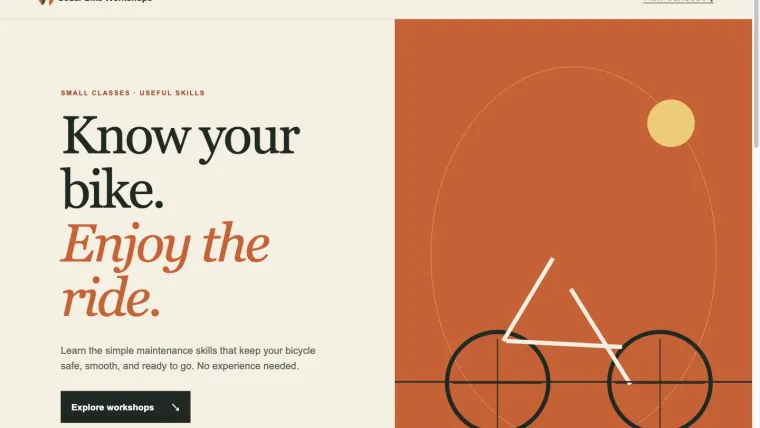
Can Codex build a website? Yes: in this exercise, it created a working, three-file website from a written brief. The page included course cards, a duration filter, and a dialog with form validation. Browser testing also found a defect: a name containing only spaces was accepted. We gave Codex that specific failure, reviewed its correction, and repeated the checks at desktop and phone sizes. This guide follows that complete example. It gives you the finished files and the checks, while keeping the limits clear: this is a static demo with no real booking, email, payment, or account system.
Try the Cedar Bike Workshops demo or download the complete practice files. The business and classes are fictional. Entering the demo form sends nothing.
Start with a small, testable brief
Our practice project was a page for people learning basic bicycle maintenance. It needed three sessions: Brake tune-up, Flat tire fix, and Chain care. The durations were 35, 20, and 15 minutes respectively. Those numbers made the filter easy to check: selecting “20 minutes or less” should leave exactly two cards.
We put the request in README.md inside a new local Git repository. Codex could create only index.html, styles.css, and app.js. The brief excluded frameworks, package installation, external requests, tracking, and a backend. That kept the exercise small enough to inspect and made the no-data-submission requirement concrete.
The visual direction was also specific: warm cream, dark text, a restrained orange accent, readable typography, and spacious cards. We asked for no invented testimonials or customer counts. A design brief should describe what a visitor needs to see and do; it should not rely on vague words such as “premium.”
Here is the functional part you can adapt:
Show three classes with their durations. Show all three initially.
The "20 minutes or less" filter shows the 20- and 15-minute classes.
"All sessions" restores all three.

Each "Ask about this class" button opens a dialog for that class.
Name and email are required. Invalid email must not submit.
On success, show exactly: Demo only: nothing was sent.
Do not store entered values or send requests.

Close and Escape close the dialog and return focus to its opener.
The page must work at widths of 1440 and 390 pixels without
horizontal page overflow. The controls must work by keyboard.
The full original brief is in the download. For other tasks, use the Codex tips and task-brief guide. Persistent project rules belong in AGENTS.md; the concrete website request can remain a task-specific brief.
Ask for the first version, then inspect it
We ran the exercise with Codex CLI 0.146.0 and gpt-5.6-sol at low reasoning effort on October 25, 2026. The working directory was the practice repository. The request allowed workspace file changes and instructed Codex to read the brief, create the three files, check JavaScript syntax, and identify anything still needing a real browser check.
This version and model describe the test, not a requirement for your project. Choose an available model for your account. See the CLI setup guide if you do not have a working local installation.
After the run, all three requested files existed. JavaScript syntax checking passed:
node --check app.jsThat check can catch invalid JavaScript syntax. It cannot tell you whether the filter selects the right cards, a dialog restores keyboard focus, or a mobile layout fits the screen. The first version therefore still needed browser testing.
To preview the downloaded project, extract the ZIP, open a terminal in its folder, and run:
python3 -m http.server 8771 --bind 127.0.0.1Open http://127.0.0.1:8771 in your browser. If that port is already used, choose another number and use the same number in the address. Stop the server with Ctrl+C when finished. The server is bound to your own computer; starting it does not publish a public website.
Check the page as a visitor would
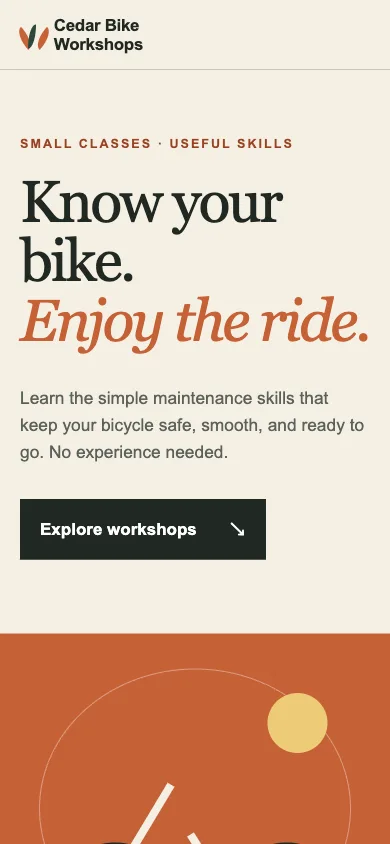
We opened the actual page at 1440 and 390 pixels wide. Both sizes showed the three classes. The shorter-class filter left Flat tire fix and Chain care. “All sessions” restored all three.
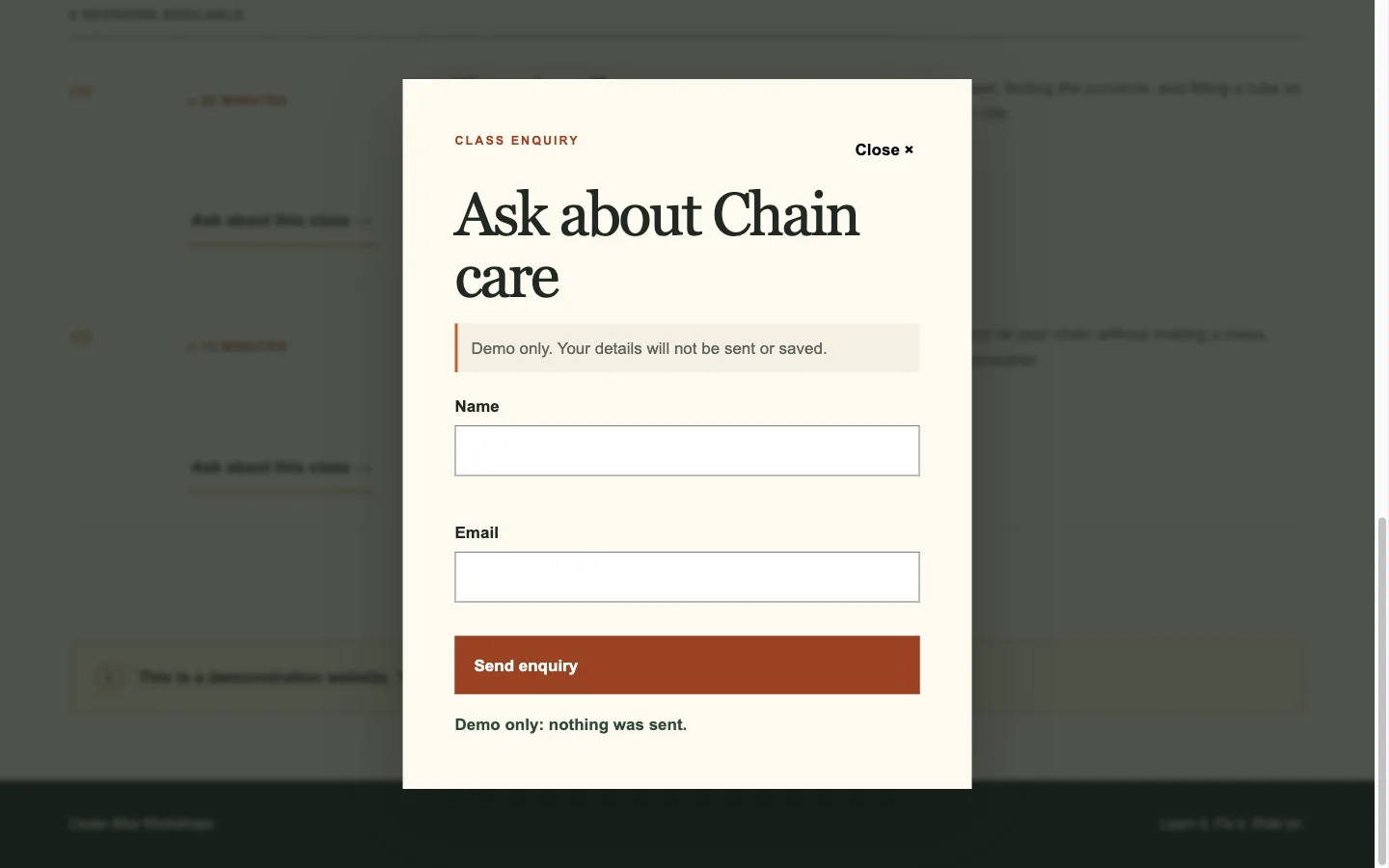
We then checked the dialog rather than stopping at the homepage screenshot. The selected class appeared in the dialog. Empty fields produced errors. An invalid email was rejected. A valid entry produced the required demo message and cleared the entered values. Both Escape and the Close button returned focus to the button that opened the dialog.
The initial page passed those checks, but one extra input exposed a problem: three spaces in the name field. HTML’s required-field check does not, by itself, establish that a person supplied a meaningful name. The initial implementation accepted that input and displayed the success message.
This distinction matters on real projects. A form can look correct and handle an empty string while still accepting an effectively blank value. Similar edge cases include repeated clicks, unusually long text, a missing optional field, and a network failure. Select cases that match the feature you are building.
Give Codex the failure and the expected result
We sent the observed case and its screenshot back to Codex. The correction request identified the current behavior, the desired behavior, and the files it could change. It also asked for the visible error text to be associated with the relevant input so assistive technology could identify it.
The dialog currently accepts a name containing only three spaces.
Keep it open, show a name error, and focus the name field instead.
Connect each input to its error message with aria-describedby.
Change only index.html and app.js. Preserve the layout and filters.
Run the JavaScript syntax check. State which browser checks remain.
This was a follow-up to an observed defect. We did not run a separate vague prompt as a competing experiment, so this example does not measure one prompting style against another.
Codex changed the permitted HTML and JavaScript files. The stylesheet remained identical to the first version, and the original brief remained unchanged. The revised name check trimmed the input before deciding whether it was empty.
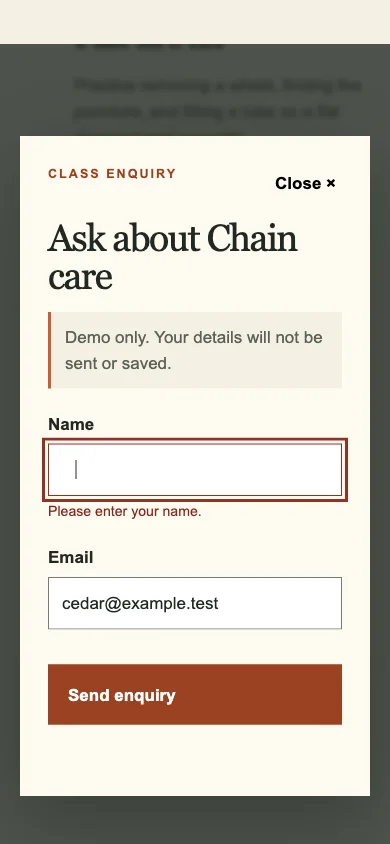
We repeated the failing case independently. At both widths, the whitespace-only name now produced “Please enter your name.” The dialog stayed open, the success message stayed empty, and focus moved to the name field. Its error association pointed to name-error.
Verify the whole path after the repair
Fixing one input should not break a neighboring behavior. Our final pass checked the filter, dialog, invalid email, successful demo submission, closing behavior, and page width again. Keyboard activation worked for the filter and class button. Both closing methods returned focus to the selected class’s opener.
| Check | Final observed result |
|---|---|
| Initial class list | All three classes visible |
| Short-duration filter | Exactly Flat tire fix and Chain care |
| Name containing only spaces | Rejected; name field focused |
| Invalid email | Rejected with an invalid-field state |
| Valid sample name and email | Exact demo message; both values cleared |
| Escape and Close | Dialog closed; focus returned to opener |
| Page width at 1440 and 390 pixels | No horizontal page overflow |
| External resources during these paths | None observed |
This was a focused browser check of the stated requirements. It was not a full accessibility audit, a performance benchmark, or a security review of a production service. No real customer data was used. See the code review guide for reviewing a change before committing it.
Understand what the finished files can do
The download contains the final HTML, CSS, JavaScript, and the original brief. It needs no build process or package install. The public demo uses those same three application files. It is a useful starting point for studying a small interaction or practicing your own revision.
It cannot register someone for a class. There is no inbox, database, payment provider, administrator account, or delivery service behind the form. The message says nothing was sent because that is what the code does. Turning the demo into a booking system would require a separate scope: where submissions go, how they are validated, who can access them, and how failures are shown to the visitor.
For a real launch, also check your actual content, domain, hosting configuration, browser support, and operational requirements. Do not remove the demo notice and present the same form as a working signup flow. Replace the underlying behavior and test the complete delivery path first.
The useful result of this exercise is both the page and the evidence around it: a clear brief, a working first version, a concrete defect, a limited repair, and a repeated browser check. Use that sequence for your own small site before expanding its scope.