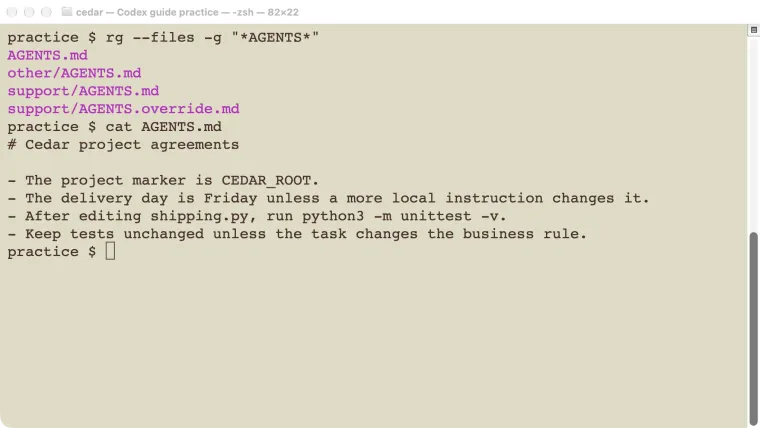
A Codex AGENTS.md file holds instructions you want the agent to reuse in a project: how to run tests, which files need care, and what a finished change should include. Put a short file in the repository root, then add a more local file only when a subdirectory needs different rules. Start a fresh Codex run from the intended directory and check what it loaded. In our test, the root instruction said Friday and a nested override said Monday. Codex reported the correct day in each location. This guide gives you that small test before you write a long list of rules.
Checked October 25, 2026: local Codex CLI 0.146.0 on macOS, using a disposable Git project. The example tested instruction discovery and the model’s response. It did not test every editor or cloud environment.
Start with the rules this project actually needs
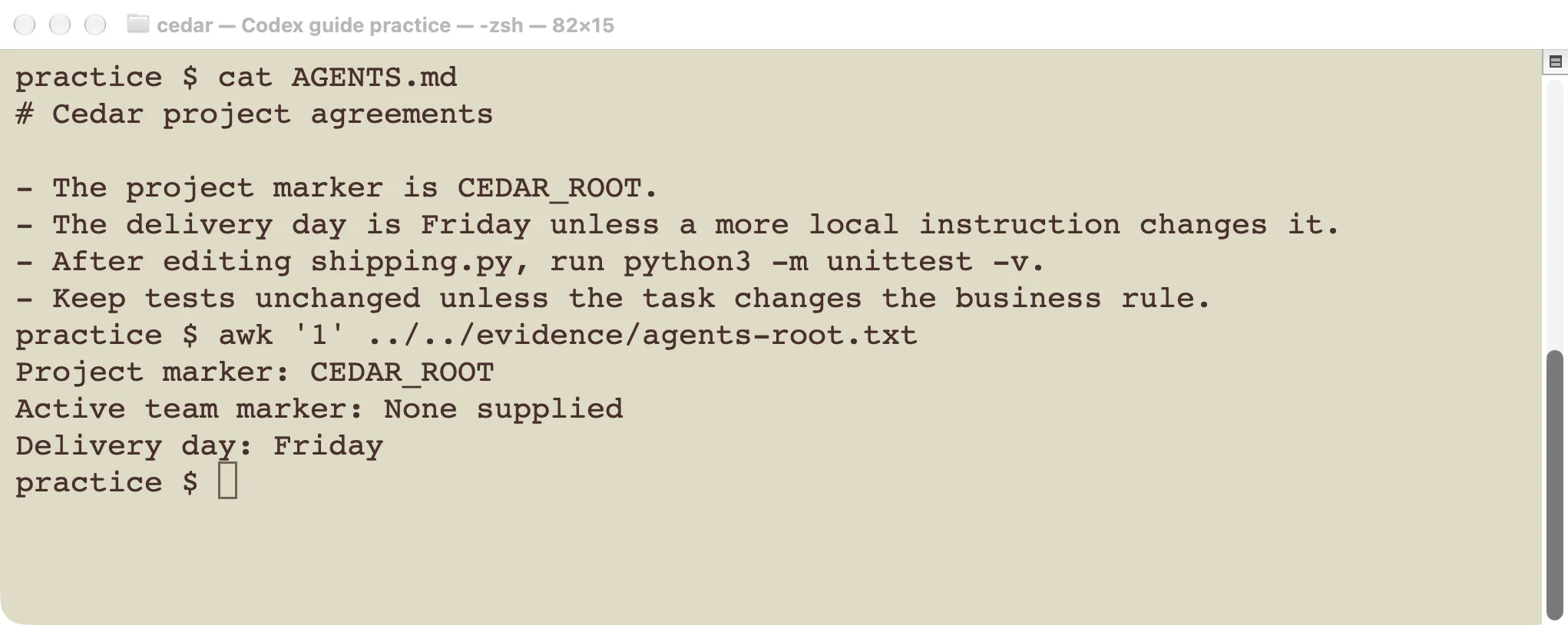
The root file contains a few concrete instructions that can be checked.
Create AGENTS.md beside the files that identify your project, such as README.md or package.json. A repository is the folder Git treats as one project. If you are unsure which folder is the root, run git rev-parse --show-toplevel inside it.
Write commands that work in this project. Do not copy a JavaScript testing rule into a Python project just because it appeared in an example.
Here is the practice file we used:
# Cedar project agreements

- The project marker is CEDAR_ROOT.
- The delivery day is Friday unless a more local instruction changes it.
- After editing shipping.py, run python3 -m unittest -v.
- Keep tests unchanged unless the task changes the business rule.
The marker and delivery day are temporary test facts. For real work, replace them with useful requirements. Keep the test command if it is correct for your project.
Useful instructions answer specific questions: Where is the code? How do I check a change? What must remain compatible? When should I ask the project owner? “Write excellent code” does not answer any of those questions.
Put each instruction at the right level
| Location | Use it for | Example |
|---|---|---|
| Your Codex home instruction file | Preferences across your projects | Explain results in plain English. |
Repository-root AGENTS.md | Agreements for this project | Run the shipping tests after a shipping change. |
| A nested directory’s instruction file | Rules for one part of the project | Use the support team’s delivery schedule. |
| The current chat message | The particular task | Fix the free-shipping boundary today. |
Swipe the table sideways on a phone.
The official discovery guide describes a chain from global guidance through the project root to the current directory. At a given directory, an AGENTS.override.md takes priority over AGENTS.md. Configured fallback filenames are checked after those standard names. Only one instruction file is selected at each level.
This explains two common surprises. A nearby override can make edits to AGENTS.md appear ineffective. And a file in a sibling folder is not part of the root-to-current-directory chain just because it exists somewhere in the repository.
Do not put secrets in these files. They are instructions supplied to an agent, and a repository copy may also be shared with collaborators.
Verify the root before adding nested rules
Start a fresh run in the project root. Ask a question whose answer comes from the instruction file, rather than pasting the answer into the question:
Using only the project instructions already supplied, report the project
marker, any active team marker, and the delivery day. Do not use tools
or change files.
Our saved response was:
Project marker: CEDAR_ROOT
Active team marker: None supplied
Delivery day: Friday
That is a stronger discovery check than asking “Did you read AGENTS.md?” and accepting a yes. It tests a specific fact the agent could only get from the active guidance in this example.
It still does not prove the agent will obey every instruction on every task. After a real edit, check the diff and test results. A reported intention to run tests is not a test result.
Add a nested rule only when it differs
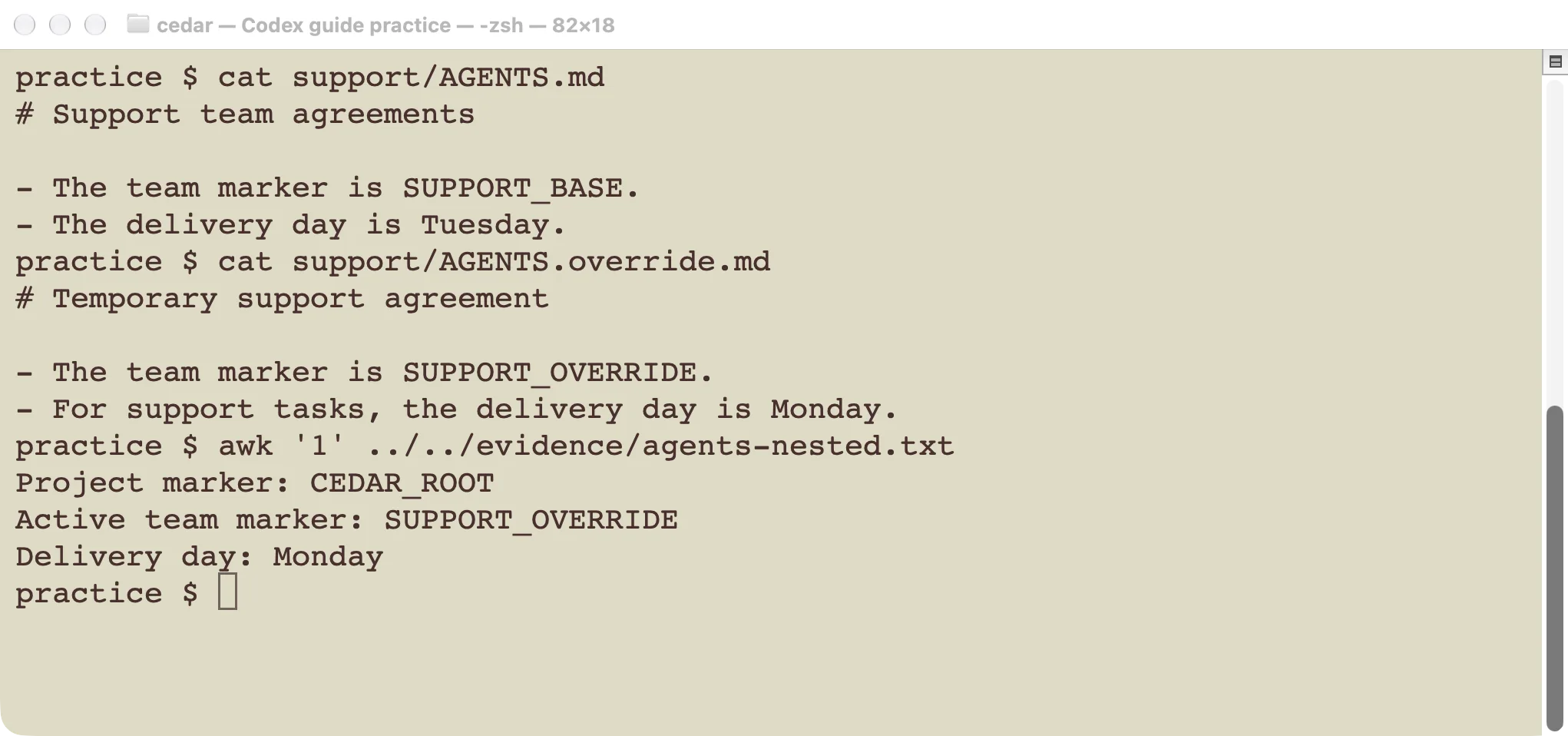
The nested override changed the support decision while retaining the root project marker.
Our practice project had this layout:
cedar/
  AGENTS.md
  support/
    AGENTS.md
    AGENTS.override.md
  other/
    AGENTS.md
The support base file said Tuesday. Its override said Monday and used the marker SUPPORT_OVERRIDE. The sibling other directory had its own Thursday rule.
We started a new run with support as the working directory and asked the same question. The result contained CEDAR_ROOT, SUPPORT_OVERRIDE, and Monday. It did not contain the support base marker or the sibling marker.
The result demonstrates both behaviors we needed: the root guidance carried through, and the selected local file supplied the narrower rule. We did not have to repeat every root rule in the support file.
To repeat this check interactively, leave the old session and launch Codex in the nested directory:
cd support
codex
Use the same diagnostic prompt. A new run matters because the initial instruction chain is assembled when the run starts. See the session guide if you need to keep the old conversation separately.
Keep instructions small enough to maintain
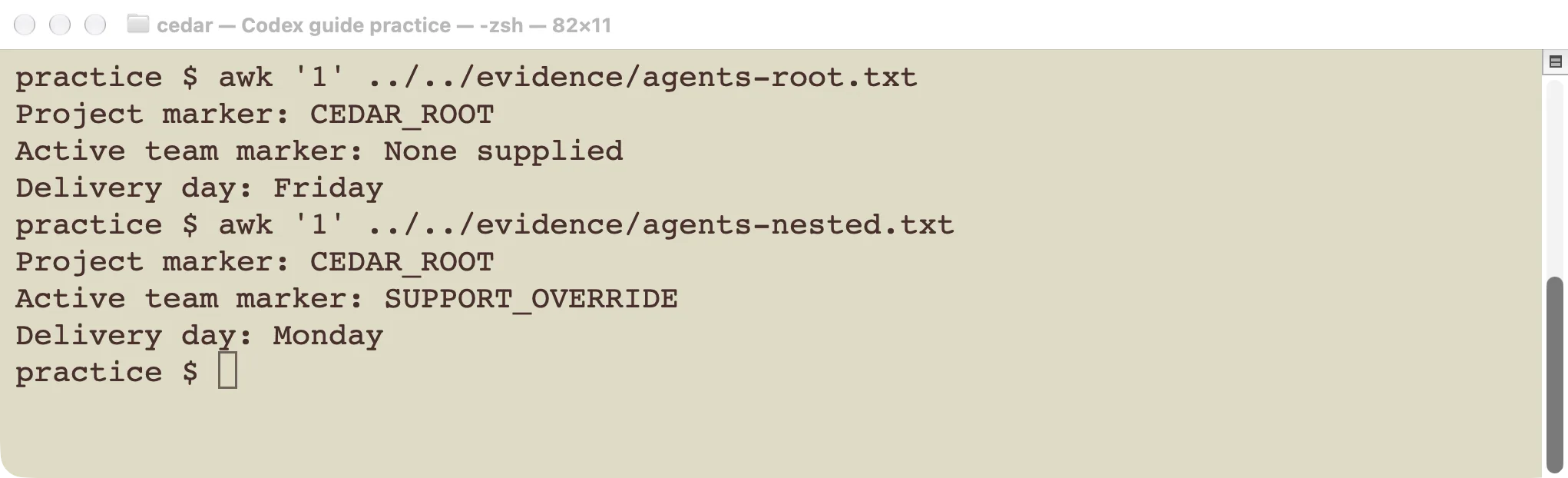
Compare observable results after changing a rule.
Review the file when a test command, folder layout, or release requirement changes. Remove rules that no longer describe the project. Link to a longer maintained document when the agent only needs it for a particular kind of task.
A useful review question is: “Could a teammate tell whether this instruction was followed?” If not, make it more concrete or remove it.
Avoid repeating the same rule in many nested files. Copies drift. Give the root file responsibility for shared agreements, and let local files explain the exception.
An instruction file also does not grant operating-system access. “Do not edit outside this folder” is useful guidance, but it is not a substitute for an enforced file boundary. Use the permissions guide to check what commands can actually write.
Fix the source of a missing or conflicting rule
- Check the starting folder. Run
pwdin the terminal and compare it with the directory you meant to use. - Check the filename. Use
AGENTS.mdexactly. Look for anAGENTS.override.mdat the same level before concluding that the base file was ignored. - Start a fresh run. Ask for a distinctive marker from the file, without including the marker in your question.
- Check broader guidance. A global instruction or a parent project file may also apply. Clarify the conflict at the appropriate level.
- Shorten oversized instruction chains. Current documentation describes a combined size limit, configurable with
project_doc_max_bytes. Keep the essential working rules close to the work; do not solve every problem by adding more text.
If you use another instruction filename, configure and verify the fallback instead of assuming Codex recognizes it. The configuration guide covers configuration locations and precedence. For a one-off task brief rather than permanent rules, use the practical workflow guide.
Begin with a small file, test one visible rule, and then use it on a real change. That gives you a maintainable agreement and an observable check, instead of a long document nobody knows is active.
For a repeatable named procedure, create a skill. Use an MCP connection when it needs external tools, or a plugin to package capabilities for installation.