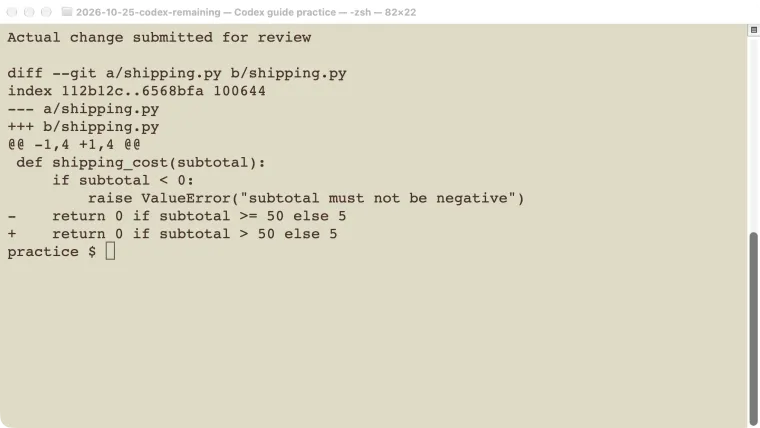
Codex code review is most useful when you give it a clear change to inspect and verify each finding against the code. Choose the review scope, state the intended behavior, and keep the review separate from applying fixes. This guide tests a local shipping-rule regression: changing >= 50 to > 50 incorrectly charges shipping at exactly $50. Codex identified the changed line and the affected boundary test. We then corrected the code and reran the tests independently. The guide also explains the documented GitHub and GitLab review routes, including automatic triggers, without treating those hosted workflows as part of our local test.
Choose a specific review scope
A review needs a comparison. Otherwise, the agent may discuss the whole repository while missing the change you care about.
| Scope | CLI selector | What to confirm first |
|---|---|---|
| Current local changes | --uncommitted | Staged, unstaged, and untracked files |
| Changes against a branch | --base main | The intended base exists and is current |
| One commit | --commit <sha> | The exact commit contains the intended change |
| A hosted pull or merge request | Connected review workflow | Repository, target branch, current revision |
On a phone, swipe sideways to read the last column.
Check codex review --help on your installed version. Do not assume a local branch called main matches the latest remote branch without inspecting it. Fetching updates changes your local repository’s remote references; choose the relevant remote deliberately.
We used CLI 0.146.0 on macOS, a disposable local Git repository, and gpt-5.6-sol. This was a small known-defect exercise, not a benchmark against human reviewers or other tools. The model guide explains choosing a model your account can use.
Give the reviewer an independent requirement
Our practice repository contained shipping.py, four unit tests, and a README stating:
Shipping is free at a subtotal of $50 or more, otherwise $5.
Reject negative input.
The correct function was:
def shipping_cost(subtotal):
    if subtotal < 0:
        raise ValueError("subtotal must not be negative")
    return 0 if subtotal >= 50 else 5
In an isolated worktree, we changed only >= 50 to > 50. The original checkout remained unchanged. The unit test for a subtotal of exactly 50 then failed, while the original checkout’s four tests still passed.
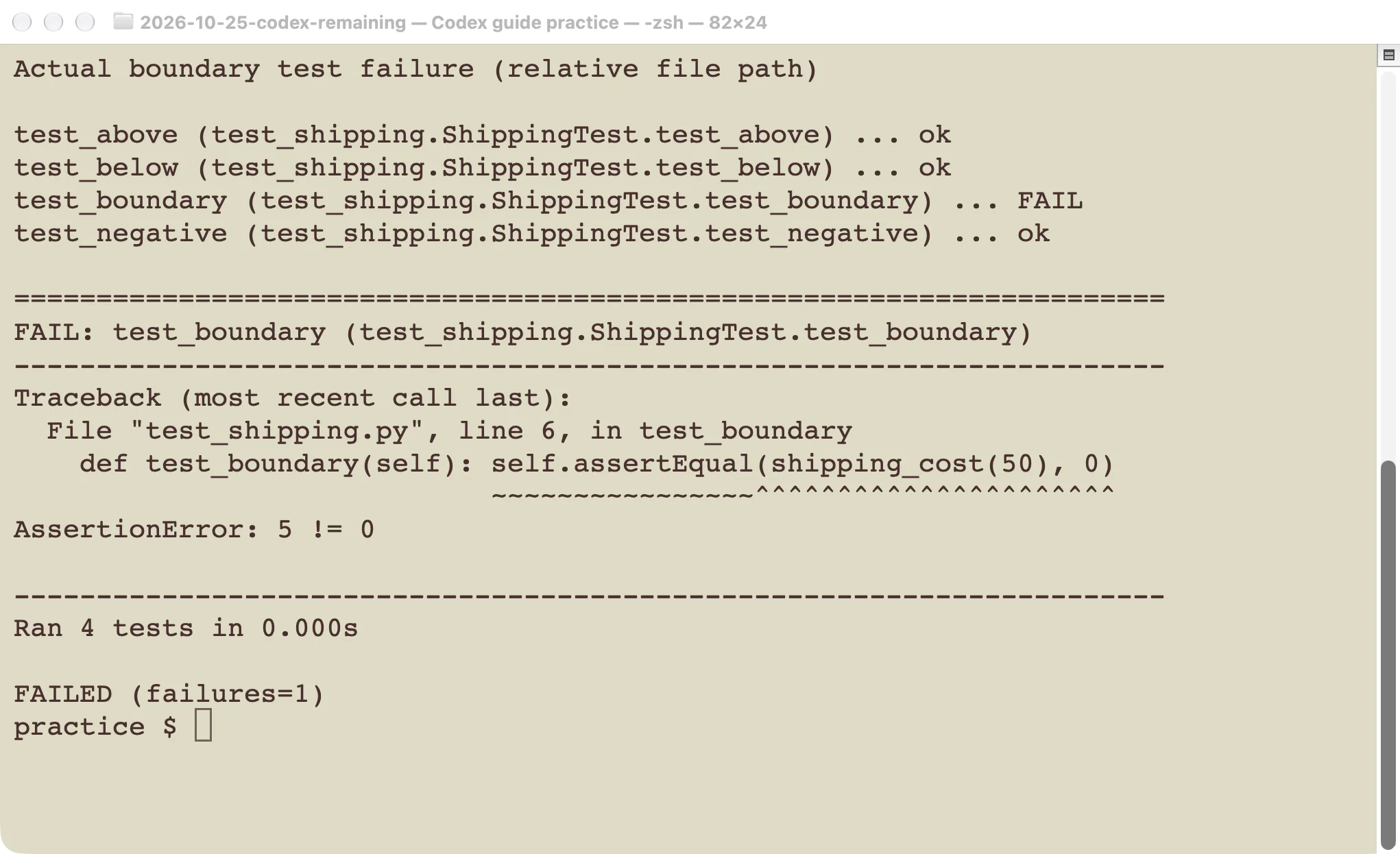
The expected behavior came from the requirement and test, not from the reviewer.
The worktrees guide explains how to isolate such a change. Isolation makes comparison easier, but it does not prevent an agent from accessing shared services if you give it those permissions.
For a real project, supply the business rule, compatibility promise, or security boundary that matters. “Find bugs” gives less useful direction than “A subtotal of exactly $50 must still qualify for free shipping.” Avoid asking for formatting feedback already handled by a formatter or linter.
Run a local review and inspect the finding
From the changed repository, a non-interactive review can use:
codex exec -s read-only -m gpt-5.6-sol \
  review --uncommitted
Replace the model if your account uses a different available option. Our recorded test used this review route with additional isolation flags and saved its output to a file. The task instructions required inspection only: no edits, delegated agents, external service calls, or credential access.
Codex found the exact boundary regression. Its report identified shipping.py line 4, explained the unwanted $5 charge at a $50 subtotal, and connected the problem to test_boundary. We checked that the review itself had not changed the shipping file.
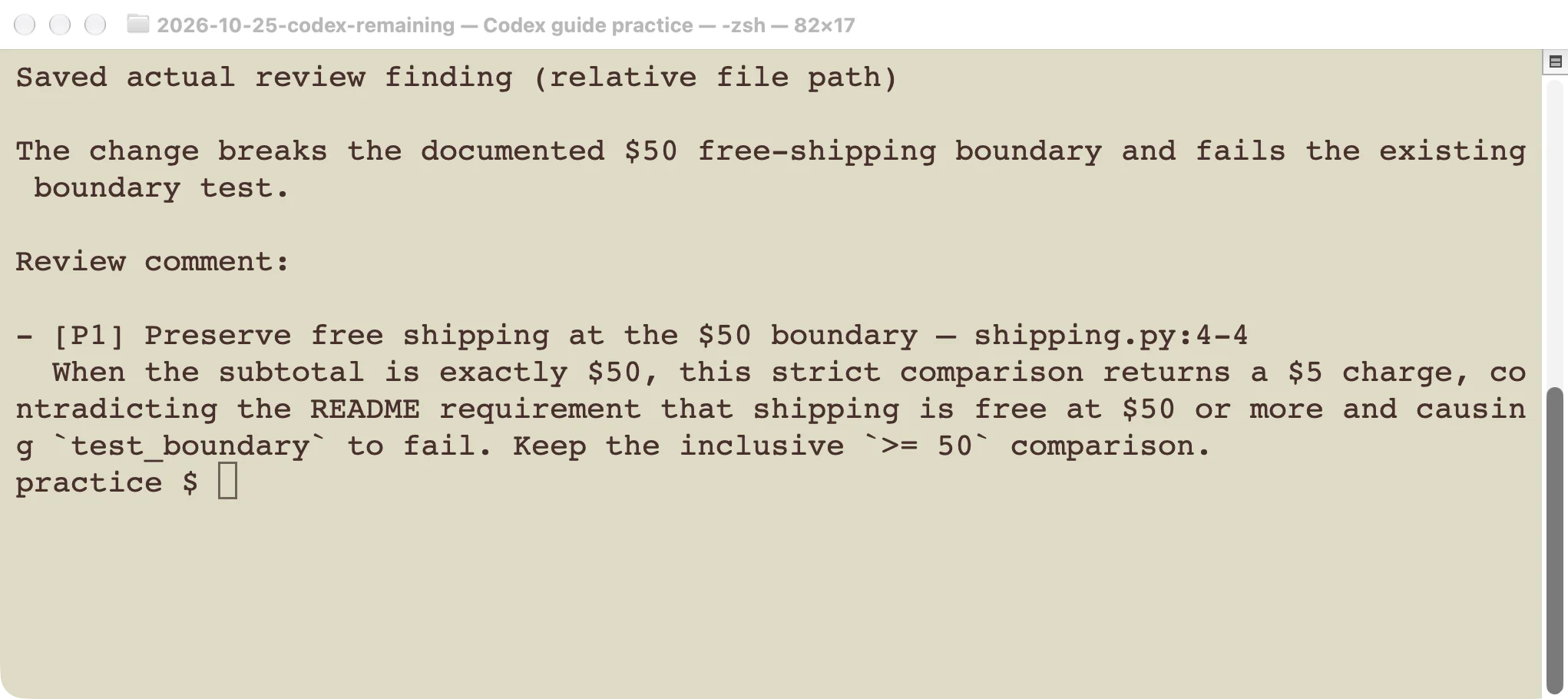
The displayed file path is shortened to the practice-relative path.
The report labeled the issue P1. Treat that as the reviewer’s suggested priority; the appropriate priority in a real project depends on user impact and release context. The reproducible behavior is stronger evidence than the label.
Read each finding against the actual diff. A useful finding should identify a concrete trigger, the resulting wrong behavior, and the relevant location. If it describes a hypothetical scenario that your application cannot reach, investigate that assumption before changing the code.
Fix the issue and verify it independently
We restored the inclusive >= 50 comparison and ran:
python3 -B -m unittest -vAll four tests passed: below the threshold, exactly at it, above it, and negative input. The test expectations were unchanged.
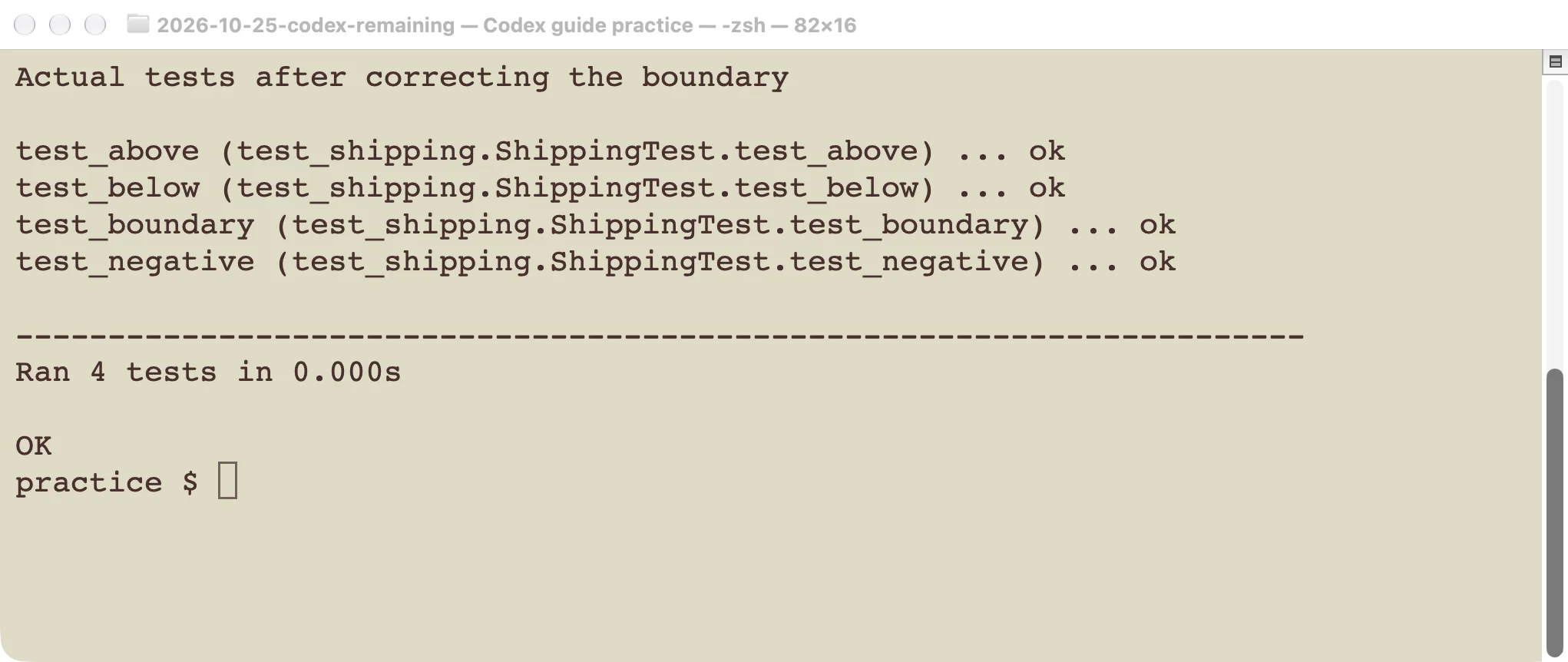
A completed review was followed by a separate code correction and test run.
For a larger change, rerun the relevant tests and inspect the new diff. If a fix changes interfaces or shared logic, expand the check accordingly. A second review can help, but it does not replace executing the behavior that failed.
When a finding appears wrong, write down the assumption it depends on. Check the caller, input validation, feature flag, or documented invariant that would make the scenario possible. Keep the evidence with the review decision. Do not dismiss a finding only because existing tests pass; those tests may not cover its trigger.
Review a GitHub pull request
The official GitHub integration guide documents repository connection, review permissions, and triggers. After connecting the appropriate repository, a pull-request comment containing @codex review requests a hosted review. That comment is visible to collaborators and the resulting review is posted to GitHub.
For automatic reviews, use the repository’s Review code settings and the relevant personal Automatic review preferences. Confirm which repositories and triggers are enabled before relying on a review appearing. We did not connect a new repository, post a comment, or enable automatic reviews for this tutorial.
For recurring project-specific guidance, add concise review rules to the applicable AGENTS.md. For example:
## Code Review Rules

- Preserve free shipping at a subtotal of exactly $50.
- Reject negative subtotals before computing a shipping charge.
- Explain the failing input and affected behavior for each finding.
The AGENTS.md guide explains scope and nested files. Keep mechanical formatting checks in your normal test pipeline.
The desktop app’s Code Review workflow also provides Summary and Changes views for connected pull requests. Check the request’s current revision, discussion, and checks before acting on a report from an older revision.
Review a GitLab merge request
GitLab has a separate connection and activity setup. Current GitLab documentation describes the integration as beta. GitLab.com, self-managed, and Dedicated installations have different setup requirements; do not copy GitHub connection instructions unchanged.
The documented manual trigger is also @codex review in a merge-request comment after the integration is configured. Automatic policies are managed in Codex review settings for GitLab. GitLab.com requires a project environment for reviews; self-managed group activity has separate account and webhook requirements. Follow the route for your actual host and administrator access.
We verified the local review and test cycle in this article. The hosted instructions come from the current first-party documentation and were not exercised against a live pull or merge request. That distinction matters when troubleshooting access: a working local CLI review does not prove a repository connector can post a hosted review.
Keep review feedback separate from approval
Use Codex findings as evidence to investigate. Branch protections, required human approvals, and your release checks still apply. A review that reports no issue does not establish that every behavior, dependency, or security property has been tested.
Start with one small change whose intended behavior you can explain. Confirm the review scope, reproduce any finding, and verify the correction. Once that loop works, add the hosted integration or automatic trigger that fits your team’s process.