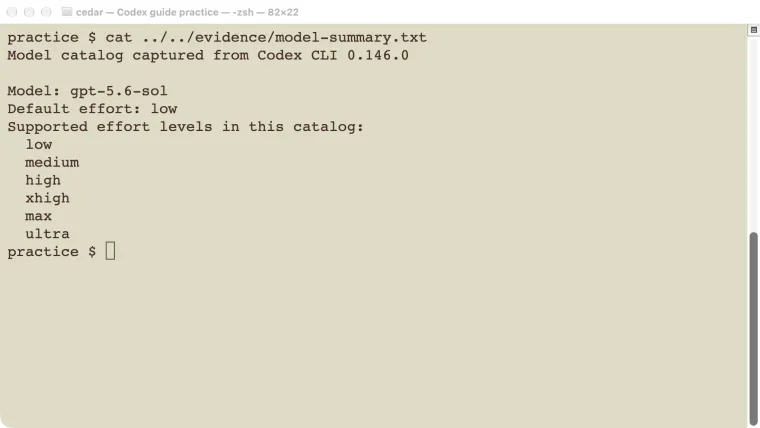
Choose from the Codex models your current account and client actually offer, then choose a reasoning effort appropriate to the task. Start with the default for routine work. Increase effort when the job needs more investigation, several dependent steps, or careful comparison of alternatives. Keep the task and success checks the same when comparing settings. In our small shipping-rule experiment, both low and high effort found the same one-character correction. That result was enough to finish that example, but it was not evidence that the two settings perform equally on larger projects or that one model is always best.
Checked October 25, 2026: official model documentation and the model catalog exposed by local CLI 0.146.0. The controlled example used gpt-5.6-sol, which that installed client offered. It is a record of our tested setup, not a recommendation to select an older model over one available in your current client.
Check availability before choosing a name
A model name in an article does not guarantee that your account, workspace, client version, and authentication method can use it.
Open the model selector in the product you intend to use. In an interactive CLI session, type /model. In the desktop app and supported editor interface, look for the model and reasoning control near the message composer. Use the options shown in that particular surface.
The current official models page recommends GPT-6.1 Sol where available and describes different availability for some plans and surfaces. It also documents the retirement of GPT-5.5 for Codex sessions signed in with ChatGPT. Treat those as dated product facts, not permanent names to hard-code into every script.
Our old CLI’s catalog offered gpt-5.6-sol and its effort levels. We used that exact available model for the experiment below. We did not infer that an unavailable model would work because another app showed it.
If the model you expect is missing, check the client version, signed-in account, workspace restrictions, and authentication route. The login guide explains the account side; the installation guide covers checking and updating the client.
Match the task before increasing effort
| Your task | A reasonable starting point | What to inspect before changing it |
|---|---|---|
| Explain one function or make a small known edit | The available default model and effort | Does the answer address the actual function or requirement? |
| Diagnose a bug across several files | A capable available model, with more effort if needed | Did it trace the cause and run a relevant failing test? |
| Compare architectures or plan a migration | More investigation and explicit constraints | Are assumptions, alternatives, and compatibility checks concrete? |
| Process many similar bounded tasks | A setting that passes a representative sample | Are failures detectable and results consistent enough for the job? |
Swipe sideways on a phone to read the last column.
Reasoning effort controls how much reasoning the selected model is asked to use. It does not supply missing requirements, install a dependency, grant access to a repository, or make an unavailable tool appear.
Before escalating effort, check whether the task itself is answerable. “Fix the app” without the error, relevant files, or expected behavior may remain vague at every setting. A clear task and a real check often matter more than moving a slider.
Change one setting for one run
Use the model selector for a single interactive chat. To select a model when starting the CLI, use the --model flag or -m alias:
codex --model MODEL_IDReplace MODEL_ID with an actual available identifier. Do not type the placeholder literally.
The installed CLI in our test also accepted a one-run effort override:
codex --model gpt-5.6-sol -c 'model_reasoning_effort="low"'Use that model name only if your account still offers it. Otherwise choose an available model and one of its supported effort levels. The configuration reference lists the effort key; the set of valid levels depends on the model and client.
A launch override is useful for an experiment because it does not require changing your persistent default. Start another run without that override when the experiment is finished. If you want to save a working combination, follow the configuration guide rather than copying a whole example configuration over yours.
Compare settings with an answer you can check
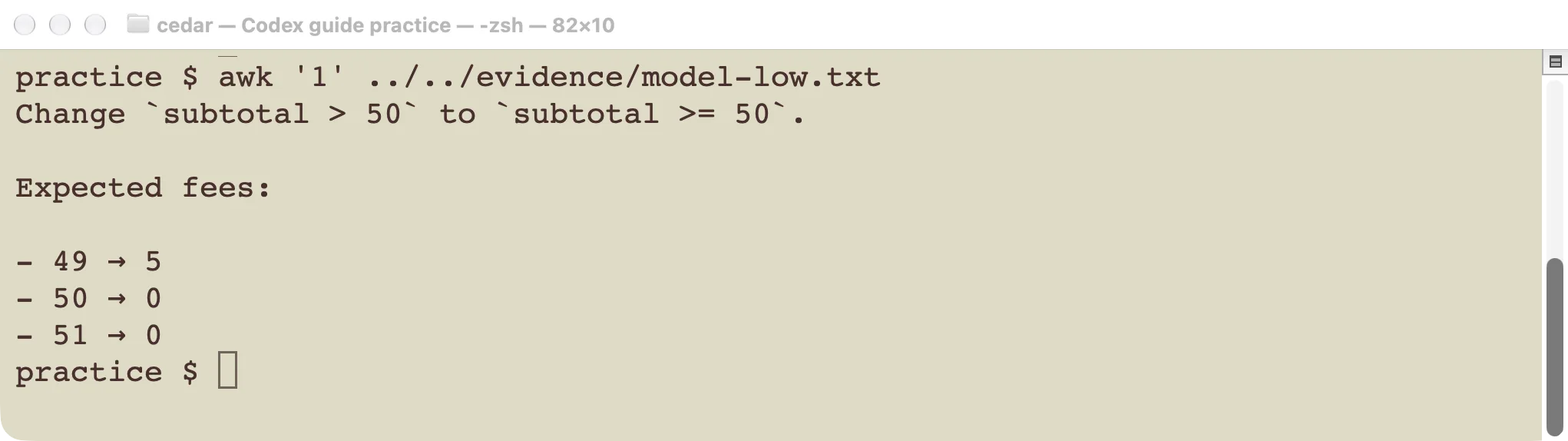
Low effort found the correction in this small example.
We used a deliberately small requirement:
Shipping costs 5 below 50 and is free at 50 or above.
Current code: return 0 if subtotal > 50 else 5
Identify the smallest correction and the fees at 49, 50, and 51.
Do not use tools or change files.
The success condition was explicit: change > to >=, with fees of 5, 0, and 0 at those three values.
We submitted the same task to the same available model in separate runs, once with low effort and once with high effort. Both returned the correct comparison and all three expected values.
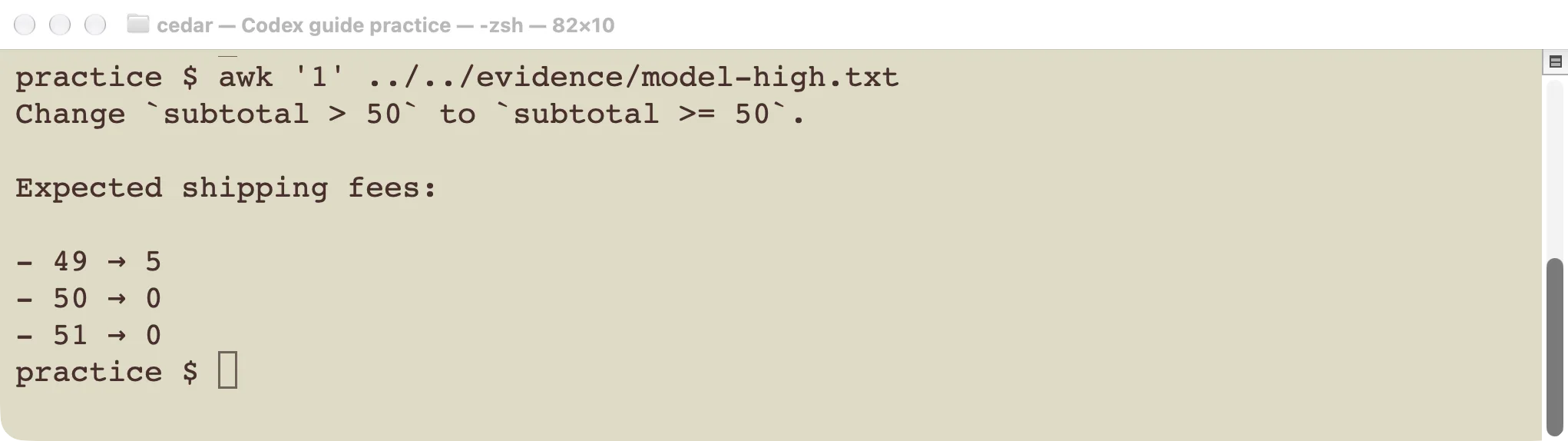
High effort also passed. This case did not show an accuracy advantage.
Neither run edited files or called tools. The experiment tested a response about a small expression; it did not test repository navigation, long-running code changes, or production reliability. Two successful answers are not a broad model ranking.
For your own comparison, choose a task that resembles your actual work. Save the starting files, task text, settings, and success checks. Compare the resulting diff and tests, not how confident or elaborate the explanation sounds.
Handle unsupported settings without guessing
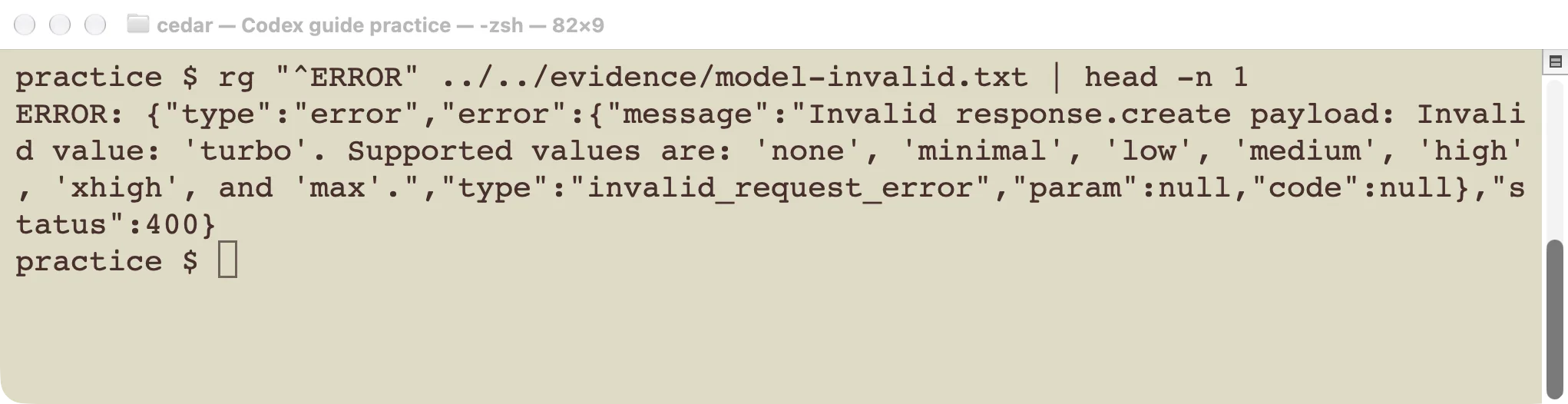
An unsupported value should be corrected, not treated as a request for extra intelligence.
Use the levels offered by the chosen model. If a command rejects a level, read the error and compare it with that client’s selector or help. Do not invent names such as turbo or assume every model supports every level another model advertises.
A “model unavailable” response needs a different check from a weak answer. Verify access and the exact model ID first. Raising reasoning effort cannot fix an account entitlement or a retired model selection.
If the model runs but the result is poor, classify the failure before changing settings:
- Missing information: supply the relevant files, error, and expected result.
- Wrong scope: state which part of the project should change and what should stay intact.
- Insufficient investigation: request the specific trace, comparison, or test that is missing.
- A difficult task despite adequate context: try another available setting against the same success checks.
Include cost and elapsed time in the decision
Higher effort can take longer and use more tokens. The practical cost also depends on your plan or API billing route, the model, and the work performed. See the cost guide and usage-limit guide before drawing conclusions from a token count alone.
Our example does not establish a price or speed ranking. It ran only two small requests, with no repeated benchmark or controlled service load. For repeated work, measure several representative tasks and count both successful completions and retries.
Keep the least demanding setting that reliably meets your checks for that class of work. Revisit it when the task changes, a new model becomes available, or the observed failure pattern gives you a concrete reason to try another combination.