Codex Security can help find and investigate vulnerabilities, but a useful result needs a defined target and evidence you can check. This guide uses a small local download function that incorrectly reads files outside its allowed folder. Two scans stopped at our estimated-cost limits before producing complete reports. One left a candidate finding; the separate validation command confirmed it, and the patch command repaired it. We then reran the tests ourselves. That is a verified repair of one synthetic example, not a completed whole-project security assessment. The steps below explain both the successful checks and the limits of the evidence.
Choose a Security entry point
Codex Security is distinct from the permissions that control what Codex can do on your computer. It is also a different workflow from a general review of a code change.
| Entry point | Useful when | What to check first |
|---|---|---|
| Security plugin | You want to investigate a local project within a Codex conversation | Plugin availability, project access, and the saved scan location |
| Security CLI | You want terminal commands and repeatable scan inputs | Runtime requirements, authentication, and the exact command version |
| Security Cloud | You want scans of a connected GitHub repository | Workspace access, repository connection, and a compatible cloud environment |
| Security SDK | Another program needs to run scans and handle results | The SDK’s supported operations and your application’s access |
OpenAI’s Security overview links to each route. It says scans using OpenAI inference require Codex Security access; some full-repository scans may also require Trusted Access for Cyber. A package being downloadable does not establish your account’s access.
For local filesystem and approval controls, use the permissions guide. For reviewing an ordinary change against its intended behavior, use code review. This article tests the standalone Security CLI. It does not claim that we connected a production repository to Security Cloud.
Prepare a small scan target
Our exercise contained a Python function, a README, and tests. The README stated that an anonymous visitor controls the requested filename and that files outside the download directory must not be returned. That context matters: a scanner needs to know where input comes from and what the application promises to protect.
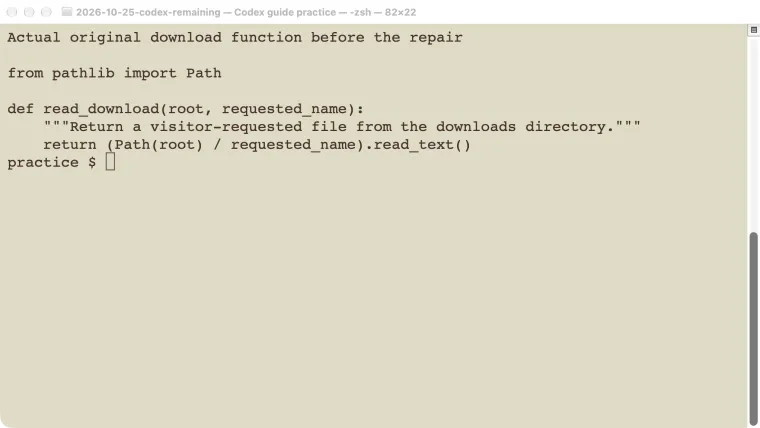
The original function was:
from pathlib import Path

def read_download(root, requested_name):
    """Return a visitor-requested file from the downloads directory."""
    return (Path(root) / requested_name).read_text()
The test created a temporary public folder and a sibling file containing only SYNTHETIC_PRIVATE_MARKER. Requesting ../private.txt returned that marker. No real private file or running website was involved.
That is path traversal: a filename supplied by a caller can move outside the directory the application intended to expose. Merely joining the directory and filename does not enforce the boundary.
We used Security CLI 0.1.3, its bundled plugin 0.1.14, Node.js 24.22.1, and Python 3.13.13. The package reported a bundled Codex runtime of 0.144.6, separate from our normally installed CLI. These are tested versions, not a claim that 0.1.3 is the latest release.
Check the current quickstart for supported Node.js and Python versions. The CLI runs with the operating system’s permissions and does not stop for individual approvals. Use an appropriate practice repository and remove unrelated credentials from the environment before a scan.
Check access separately from a dry run
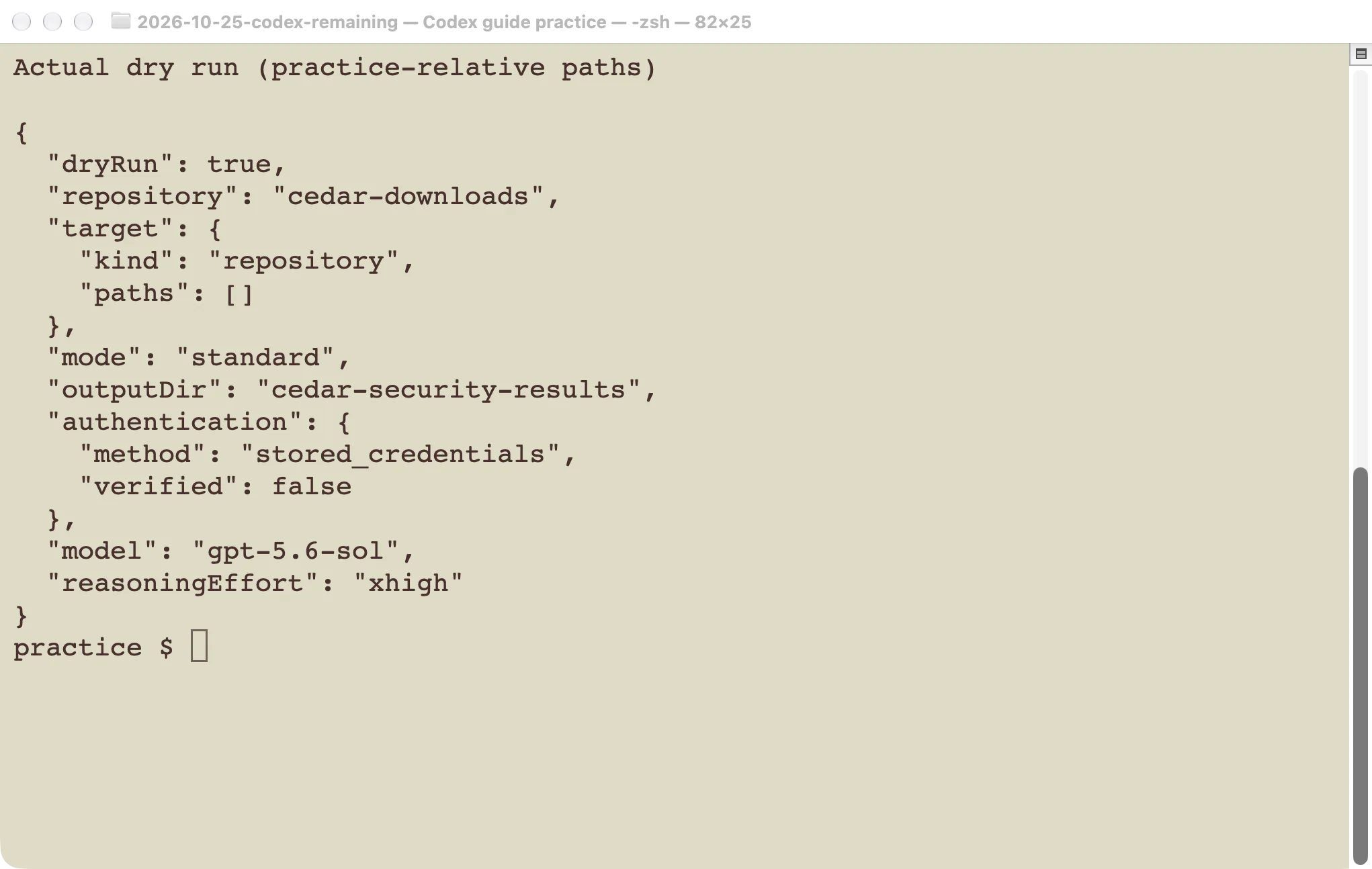
With the required runtimes available, these commands inspect the version and validate the local target:
npx @openai/codex-security@0.1.3 --version
npx @openai/codex-security@0.1.3 info --json
npx @openai/codex-security@0.1.3 scan ./cedar-downloads \
  --auth chatgpt \
  --output-dir ../cedar-security-results \
  --dry-run
Replace the example paths with your repository and a results directory outside it. The pinned version makes this example match our test. When using a newer release, check that release’s help rather than assuming every option is identical.
Our dry run succeeded, but its authentication result explicitly said verified: false. This is expected: it checks local inputs without proving account access or completing a scan. The actual scan subsequently recognized our stored Codex credentials. If you have not signed in, the documented login command starts the supported authentication flow.
For a narrow scan, remove --dry-run and select the relevant file:
npx @openai/codex-security@0.1.3 scan ./cedar-downloads \
  --auth chatgpt \
  --path downloads.py \
  --output-dir ../cedar-security-results \
  --model gpt-5.6-sol --effort low --max-cost 3
Use a model your account can access. Our test selected the model explicitly; model access is a separate condition from the package version.
We also found a version mismatch worth recognizing: --headless, shown in newer documentation, was rejected by 0.1.3. Checking scan --help resolved that local command error. The rejected option was not an authentication failure.
Read the scan scope and evidence
The first scan stopped at a $1 estimated-cost limit. A second, file-scoped scan stopped at a $3 limit. Both exited with status 2. The second left a candidate ledger identifying the download-directory boundary problem, but it did not produce a complete final scan report.
Those dollar amounts were the tool’s estimates used for stopping. They are not invoices for our ChatGPT-authenticated runs, and the limit did not behave as an exact spending cap: the first stop message reported an estimate above the requested threshold.
Treat partial findings as leads. A candidate file is not a substitute for a completed scan manifest or a final coverage report. For completed scans, the CLI reference describes the report, findings, manifest, and coverage artifacts. Read the status and coverage before interpreting an empty finding list as reassurance.
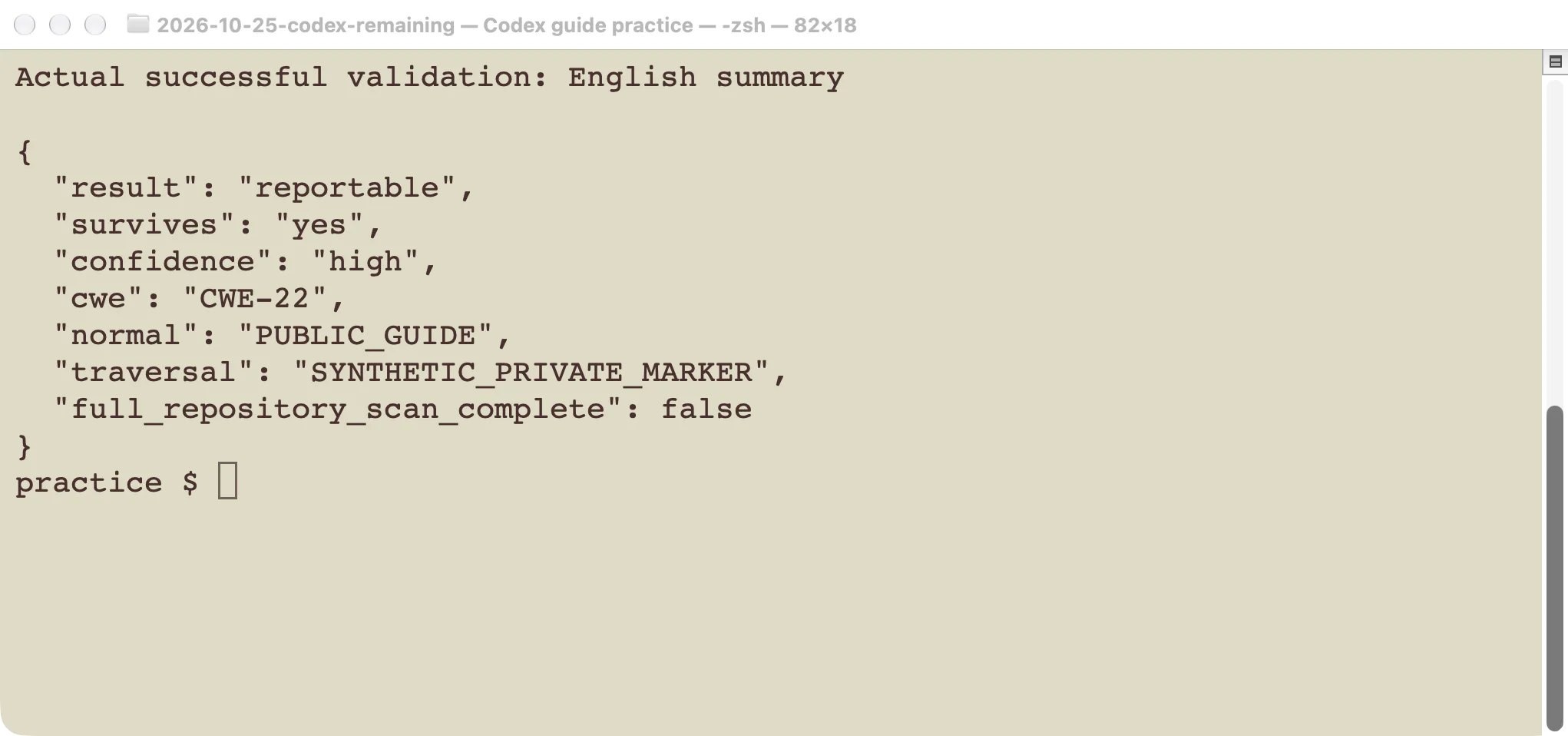
We gave the saved candidate file to the separate validation command from inside the exercise repository:
npx @openai/codex-security@0.1.3 validate /path/to/candidate-file \
  --effort low --codex 'model="gpt-5.6-sol"'
The command exited successfully and marked the candidate reportable, with high confidence. It reproduced the normal public-file read and the unintended outside-file read. We independently reproduced the same behavior before changing the code.
Version 0.1.3 rejected --format json for this command; the plain-output invocation worked. The screenshot is a labeled English summary of its actual result, not a fabricated product interface.
For your own finding, check who controls the input, how it reaches the affected operation, which protective checks exist, and whether the demonstrated result matches the claimed impact. A test inside a synthetic repository does not establish exploitability in a different application.
Fix the demonstrated boundary and test again
We passed the same candidate to the Security patch command:
npx @openai/codex-security@0.1.3 patch /path/to/candidate-file \
  --effort low --codex 'model="gpt-5.6-sol"'
This step changes files. Start from a state you can inspect and compare. The patch in our example resolved the base and requested paths, then required the requested path to remain relative to the allowed base before reading it:
downloads_root = Path(root).resolve()
requested_path = (downloads_root / requested_name).resolve()
requested_path.relative_to(downloads_root)
return requested_path.read_text()
An outside path now raises ValueError in the tested cases. The patch also extended the tests to cover an absolute path pointing outside the folder and a symbolic link pointing outside it. It preserved the valid public-file case and left the README unchanged.
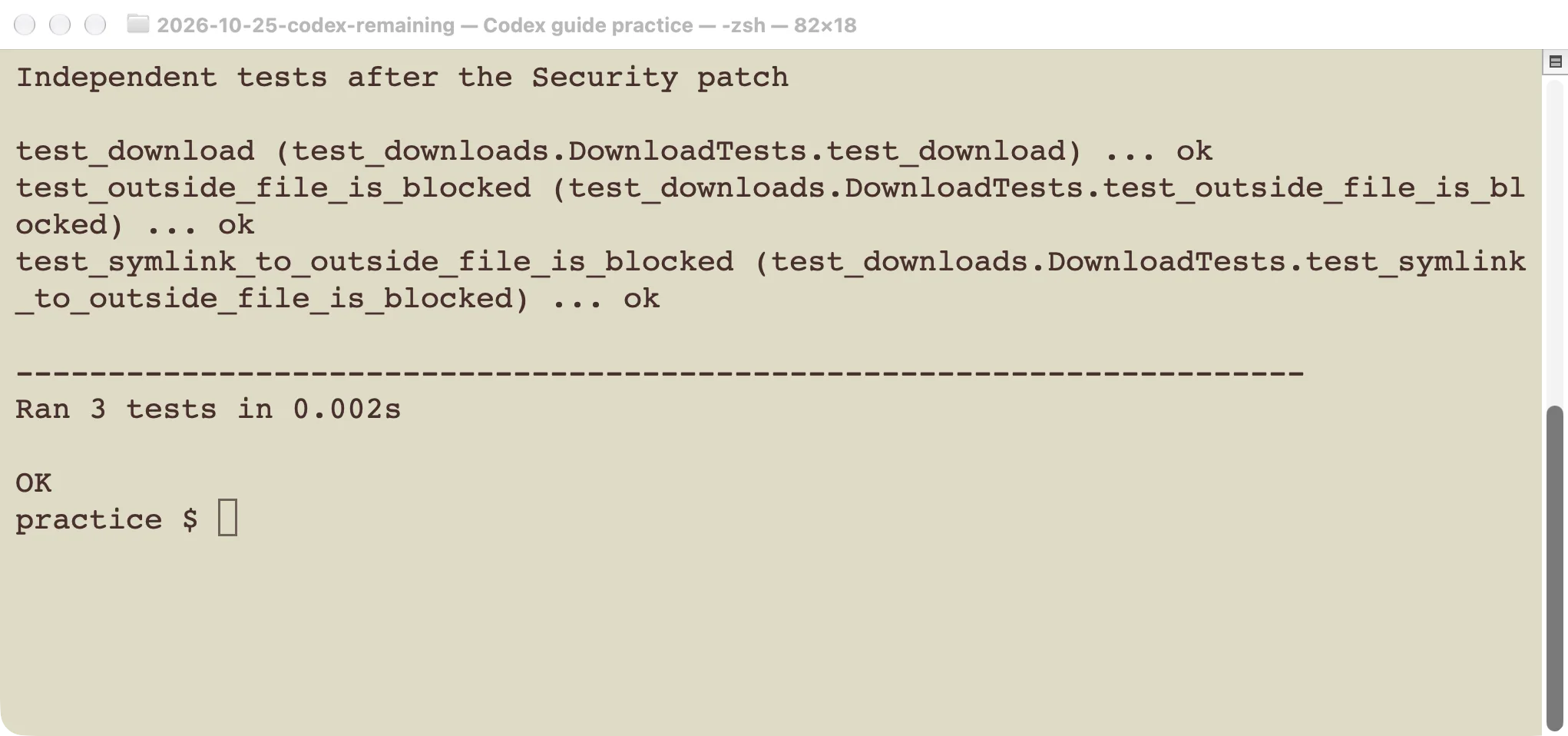
We independently ran python3 -m unittest -v. All three test methods passed. We also checked the diff for formatting errors and inspected the changed files. The result supports this specific repair, including the demonstrated parent-directory input and the additional outside-path cases.
It does not cover every production concern. For example, we did not test an attacker changing filesystem links concurrently with a request, or a web server’s authentication and error handling. We also did not complete another full Security scan after patching. Keep those limits separate from the passing local regression tests.
Keep repeat scans useful
Save the target revision, selected paths, package version, and result status with the scan artifacts. When a later result changes, those details help distinguish a new code issue from a changed scope or interrupted run.
Start by repeating the behavior that demonstrated the finding. Then test the normal behavior that must keep working. Review the patch itself before merging it; a green test result cannot show whether the tool changed unrelated files unless you inspect the change.
For isolated repair work, the worktree guide provides a tested way to use a separate checkout. For scheduled or CI use, define how incomplete scans and coverage gaps will be handled before enabling a blocking policy. A command that returned no complete result should not silently become a “no vulnerabilities” result.