A Codex API search can lead to three different jobs: asking a model to return code, running a coding agent against a project, or building your own interface around that agent. Choose the job first. A response containing code does not mean a repository was edited or its tests were run. This guide separates the available routes and shows a real local App Server handshake, including two rejected requests. Our companion SDK test also ran and resumed agent conversations. The direct Responses API example below is an application example, not a claim that we made a paid API request during this test.
Choose the interface by the work you need
An API lets one program ask another program to do something. Here, the useful distinction is how much of the coding workflow that interface provides.
| What you need | Start with | What you still own |
|---|---|---|
| Generate or explain code inside your application | OpenAI Responses API | Supplying input, handling the response, and deciding what happens to the code |
| Give a coding agent a project task from a program | Codex SDK | Choosing the working folder, permissions, completion checks, and error handling |
| Run one task from a shell script | codex exec | Capturing the answer, checking the exit status, and checking the resulting files |
| Build an editor panel or another interactive client | Codex App Server | The interface, protocol lifecycle, approvals, and streamed events |
| Connect external tools for Codex to use | MCP | The tool service and its authorization; this is a different direction of integration |
For example, a documentation tool that explains a pasted function can begin with a model request. A maintenance job that edits the function and runs the project’s tests needs a coding-agent workflow. An editor extension that displays progress and asks the user to approve actions needs a richer client connection.
OpenAI’s current code-generation guide describes the model and Codex routes. Check model availability for the account you will actually use. An example name in a blog post is not proof that your API project can access it.
Know what a direct model request does
A minimal Python application can send code as text and print the returned explanation:
import os
from openai import OpenAI

client = OpenAI()
response = client.responses.create(
    model=os.environ["OPENAI_MODEL"],
    input=(
        "Explain the boundary error in this Python function. "
        "Do not rewrite unrelated behavior.\n\n"
        "def shipping_cost(total):\n"
        "    return 0 if total > 50 else 5\n\n"
        "Requirement: orders of $50 or more ship free."
    ),
)
print(response.output_text)
Install the openai Python package in your application’s environment, provide OPENAI_API_KEY through your normal secret-handling mechanism, and set OPENAI_MODEL to a model available to your API project. Run this on your backend. A browser page shipped to visitors should not contain your secret API key.
We checked the example’s Python syntax. We did not submit this Responses request. It therefore illustrates the request structure, without supplying an invented response, elapsed time, or charge.
The input includes the rule that makes exactly $50 important. Without that requirement, the model cannot know whether > is wrong. After a response arrives, your application must decide how to use it. This example does not open a repository, change a file, or run a test.
If you add tools to an application, define what each tool is allowed to do and check its results. The Responses API reference describes the supported request fields. Do not assume that changing a model name turns a text request into a complete development environment.
Use the SDK for a coding-agent task
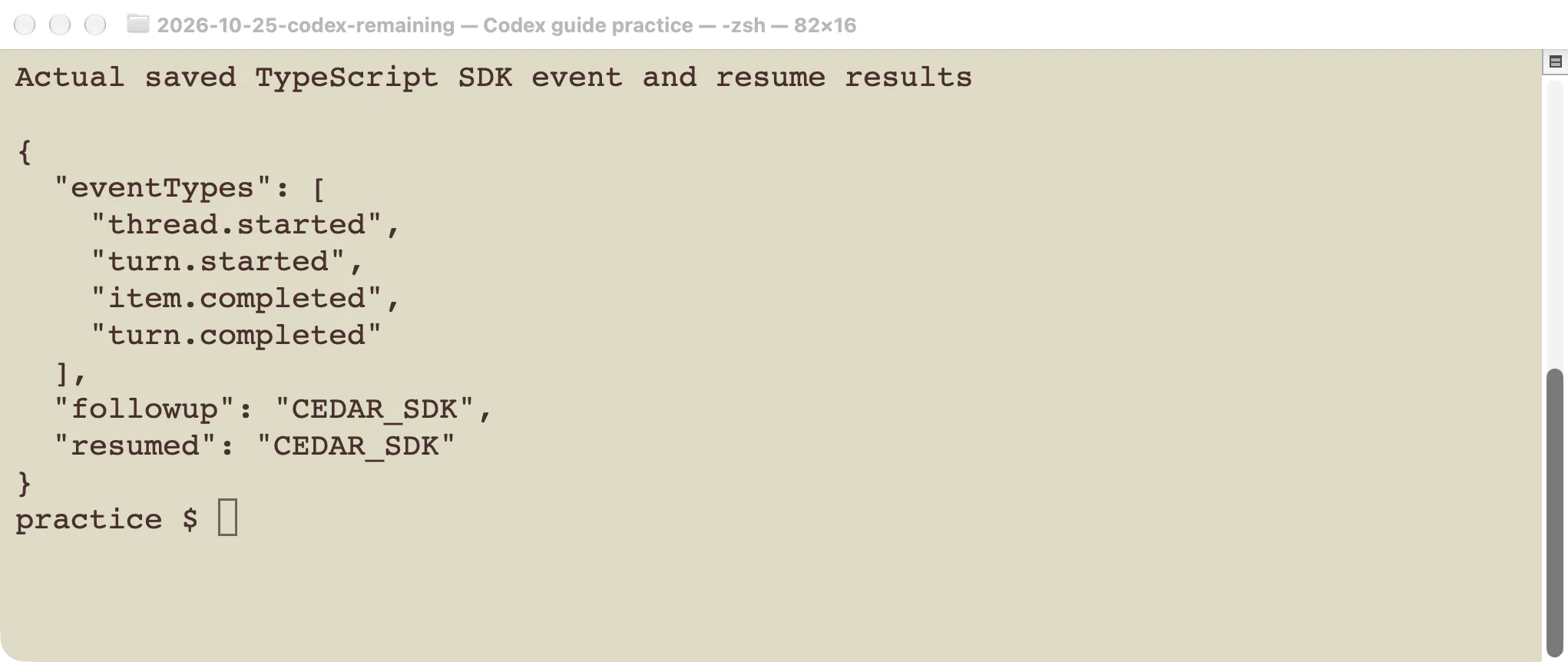
The Codex SDK tutorial covers a different unit of work: start an agent conversation, give it a task, receive events, and continue or resume the conversation. In that test, the TypeScript SDK completed a read-only task and recovered the marker CEDAR_SDK after resuming its thread. Python also recovered its own marker through its separately tested API.
That proves those conversation flows worked in the tested setup. It does not prove that every coding task will succeed. For a file-editing job, also inspect the diff and run the relevant test independently.
Choose the SDK when another program needs to manage this lifecycle. Choose non-interactive Codex commands when a shell script is sufficient. Either way, keep the working directory explicit. A correct answer about a file in the wrong checkout is still the wrong job.
The package versions matter. Our earlier TypeScript and Python tests used different package versions and method names. Copy the example for the language you installed, then check that version’s documentation. Mixing methods from two SDKs is a local programming error, not evidence of an account or model outage.
Use App Server when you are building an interface
App Server supplies a local protocol for clients that need conversations, progress events, and interactive controls. The official App Server documentation describes this interface. It is not the public POST /responses endpoint.
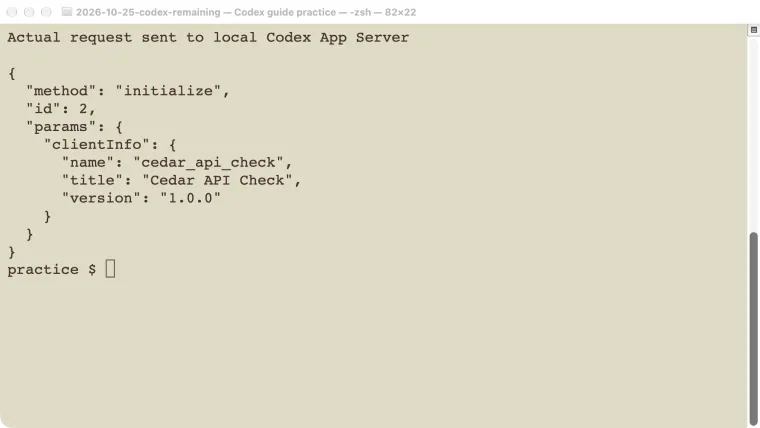
Our test launched codex app-server from CLI 0.146.0. A small local client wrote one JSON message per line to the process and read its replies. It first sent this request:
{
  "method": "initialize",
  "id": 2,
  "params": {
    "clientInfo": {
      "name": "cedar_api_check",
      "title": "Cedar API Check",
      "version": "1.0.0"
    }
  }
}
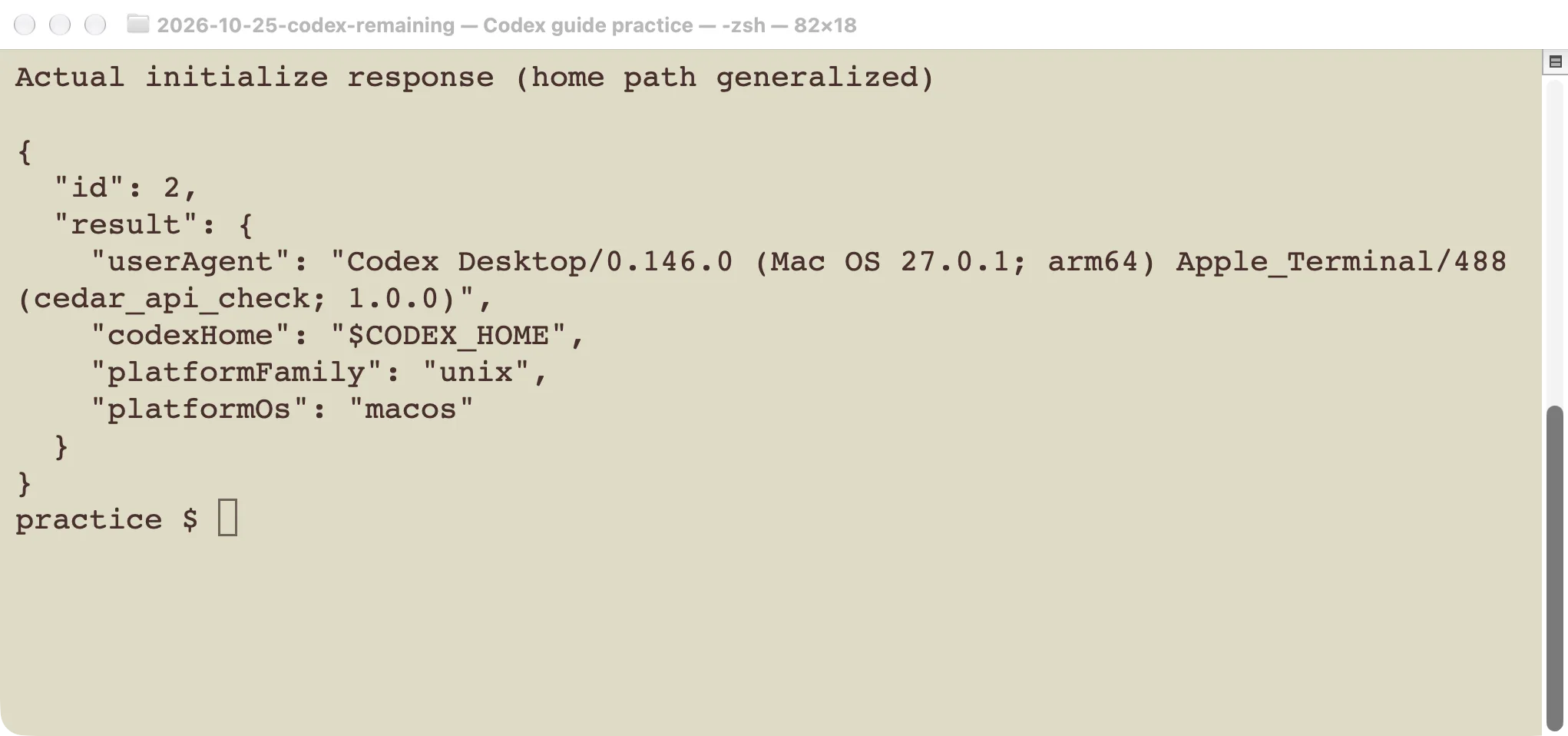
The server returned a result for request 2, including its runtime platform and user-agent information. The client then sent the initialized notification. The screenshot replaces only the local Codex home path; the response came from the actual process.
For a real conversation, initialization is only the beginning. Your client then starts or resumes a thread, starts a turn, and reads events through completion. It also needs to handle any server requests that its chosen workflow can produce. A successful handshake does not prove that authentication, a model turn, or a file edit will succeed.
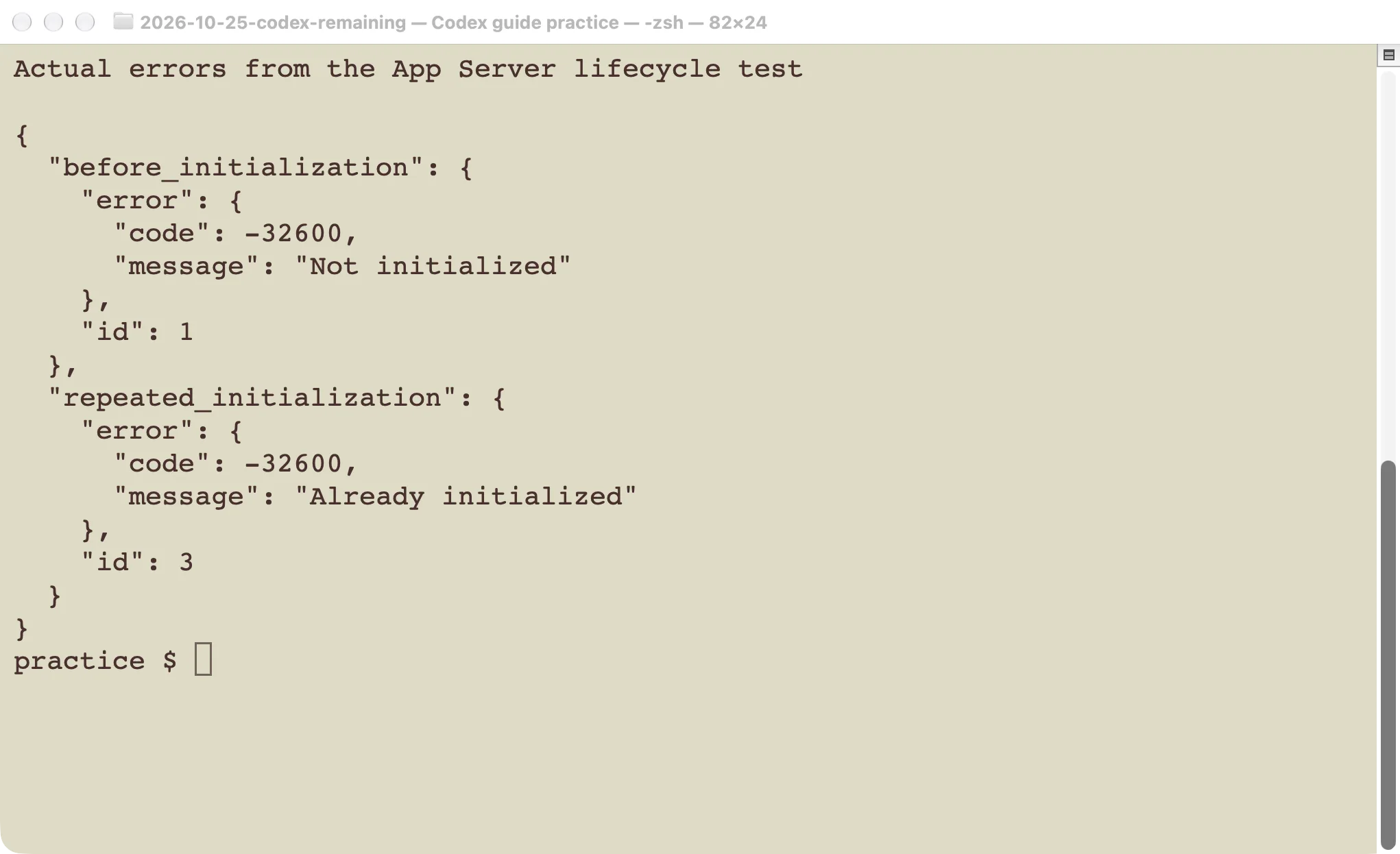
We checked two failure cases on the same connection:
- Calling
thread/startbefore initialization returnedNot initialized. - Calling
initializeagain after the handshake returnedAlready initialized.
Both returned error code -32600 in this version. We also sent an unknown method, which was rejected. These are protocol failures. Replacing an API key would not repair the order of those messages.
The test stopped the local process afterward. It did not start a model turn through App Server, expose a network listener, or create a hosted service. Build against the protocol supported by your installed version; the current documentation can contain methods that an older binary does not implement.
Separate account access from API billing
A working ChatGPT sign-in and a working API project are separate checks. OpenAI documents separate ChatGPT and API billing systems. Do not infer API credit from a ChatGPT subscription, or paste a ChatGPT session token into an application as if it were an API key.
Before diagnosing a failed request, identify which route you used, which account or project supplies access, and which model was requested. Then inspect the actual error. A malformed local request, unavailable model, rejected credential, and exhausted allowance require different fixes.
For account setup, use the Codex login guide. For the difference between plans and usage limits, use the pricing guide. Keep those questions separate from choosing an interface.
Check old Codex examples before copying them
The name Codex has been used across different generations of products. OpenAI’s deprecation record lists the original code-davinci and code-cushman models as shut down on March 23, 2023. An old tutorial can therefore contain valid-looking Python and still request a model that no longer exists.
Check the endpoint, package, method, model, and date together. For a new application, start from current official documentation. For an existing application, preserve its intended behavior and test the replacement against your own examples. Changing a model string alone is not a complete migration test.
If you are still choosing a route, write one sentence describing the desired output: “return an explanation,” “edit this repository and test it,” or “show an interactive coding session.” That sentence usually makes the appropriate starting point much clearer.