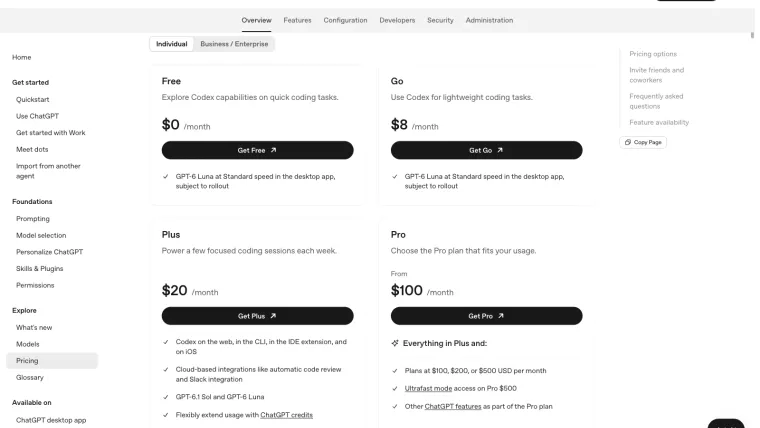
Codex pricing depends on how you sign in and how much work you do. With a ChatGPT account, access comes through your plan, with usage limits and optional extra credits on eligible plans. With an API key, you pay separately through your OpenAI developer account for what you use. Free access is available under specific conditions, so check the supported app and model before paying for anything. This guide separates the monthly fee, extra credits, and API charges so you can decide which costs actually apply to your work.
Prices and availability checked October 23, 2026. The figures below are the US-dollar monthly prices shown in OpenAI’s documentation. Check your checkout page for the amount, taxes, and terms that apply to you.
Can you use Codex for free?
Yes, within the access currently offered to your account. OpenAI’s pricing page lists Free at $0 per month and Go at $8 per month. Both list GPT-6 Luna at Standard speed in the desktop app, subject to rollout. “Subject to rollout” means the feature may reach accounts at different times.
That detail matters if you have been following an older tutorial. A free desktop option does not promise access to every Codex model or every way of using it. Check the app and model named for your plan. Source: current pricing options.
If you are trying Codex for the first time, start with a small task using the access you already have. The first-task guide gives you a practice project. You can decide whether to pay after seeing what you need.
What do the personal plans cost?
| Plan | Listed monthly price | What to check before choosing it |
|---|---|---|
| Free | $0 | Whether the desktop rollout and GPT-6 Luna access are available to your account. |
| Go | $8 | Whether its current access covers the tasks and app you want to use. |
| Plus | $20 | Whether its included usage is enough for your working pattern. |
| Pro | $100, $200, or $500 | Which Pro level provides the usage and features you need. |
OpenAI lists broader Codex access for Plus, including web, CLI, the editor extension, and iOS. Pro has several price levels, so “Pro costs $200” is no longer a complete description of the current options. Use the official plan comparison before subscribing.
The table is a starting point for personal use. Business, Enterprise, and education arrangements have different seats, credits, and administration. If your employer provides access, ask which workspace you should use before buying a separate personal plan.
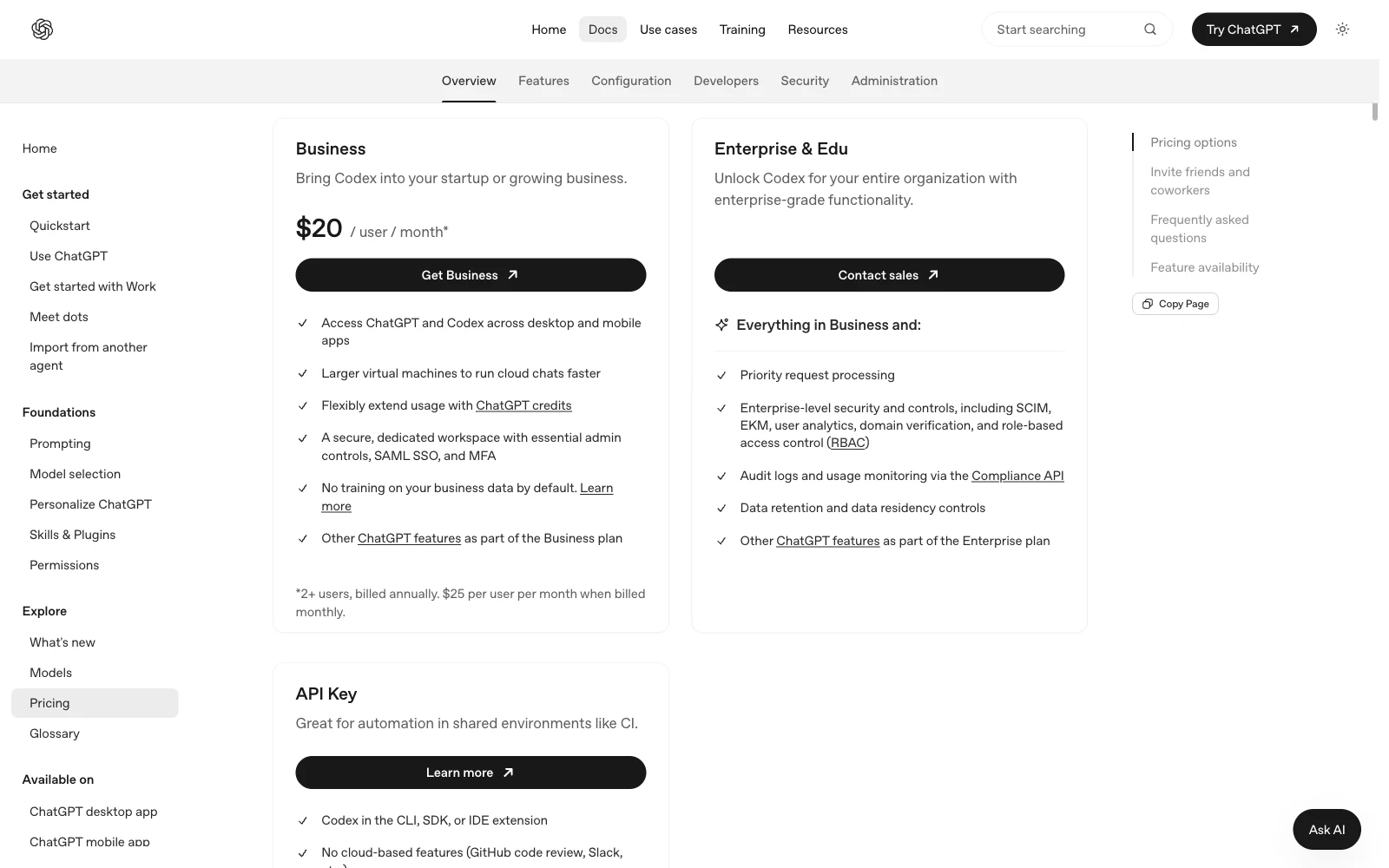
The pricing page has a separate view for organizations. Use the view that matches who will pay for the account.
Keep these three costs separate
1. Your monthly ChatGPT subscription
This is the recurring plan fee. It gives you the access and included usage described for that plan. Included usage can run out. The number of tasks you get depends on the work and model you use.
2. Extra credits
Credits are a balance you can spend on additional work when eligible. Think of them as a top-up. They do not mean every request costs the same amount.
OpenAI says Plus and Pro users can buy more credits after reaching their usage limit. Check the balance and purchase details shown to your account before buying. Source: what happens at the limit.
3. API usage
An API key connects Codex to an OpenAI developer account. If you choose that sign-in method, the work is charged at API rates. A ChatGPT subscription does not turn API usage into included subscription usage. Source: API-key billing.
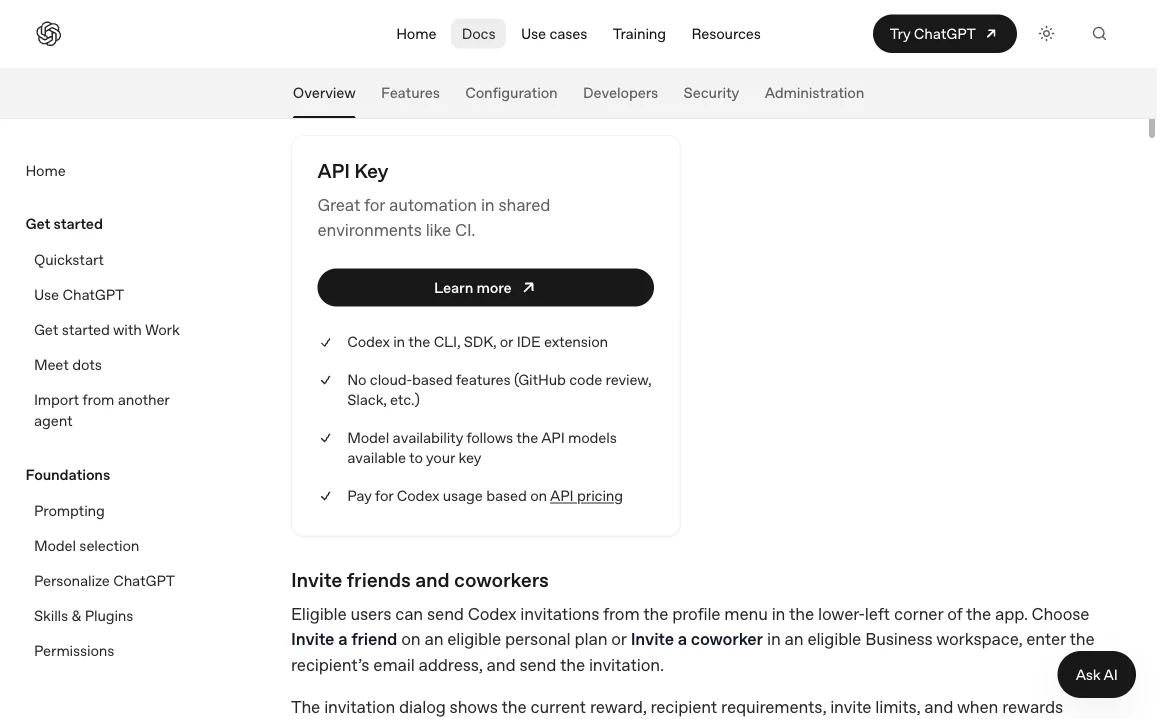
The API Key option has its own billing arrangement. Read it before switching sign-in methods to continue working.
If you only want to use your ChatGPT plan, follow ChatGPT sign-in. You can use the CLI without choosing API billing.
A simple monthly budget example
Suppose you choose Plus at the listed $20 monthly price. If you stay within its included usage and buy nothing extra, your starting subscription budget is $20 per month, before any taxes or other checkout adjustments.
If you later choose an extra-credit purchase priced at $10, the example becomes $20 + $10 = $30. The $10 is an illustration, not a claim that OpenAI offers a particular $10 credit pack. Use the amount shown in your own purchase screen.
If you also use an API key, add that separate API bill. For example, a hypothetical $4 of API usage would bring the illustrated total to $34. Keep each line separate so you can see which change increased your spending.
| Example cost | Amount | Where to verify it |
|---|---|---|
| Plus subscription | $20 | Your ChatGPT subscription details |
| Optional extra credits | $10, hypothetical | Your credit purchase screen |
| Separate API work | $4, hypothetical | Your OpenAI Platform billing records |
| Illustrated total | $34 | Add only the costs you actually incur |
You do not need all three. The point of this example is to make the bill understandable before you add another payment method.
Why there is no reliable price per prompt
A short request can lead to a large amount of work. “Fix this bug” might require reading several files, running tests, making changes, and checking the result. A longer question about one small file may use less.
OpenAI explains that the model, task size, context, tools, and caching affect usage. “Context” is the material the model has available while it works. “Caching” means some repeated material can be reused rather than processed in the same way again. Prompt length alone does not tell you the final cost. Source: usage estimates.
For API billing, a token is a small piece of text processed by the model. Rates commonly separate input, cached input, and output. Input is what goes in; output is what the model produces. The API pricing page lists the rates for the model you choose. Do not use those dollar rates to calculate a guaranteed number of tasks included in a ChatGPT subscription.
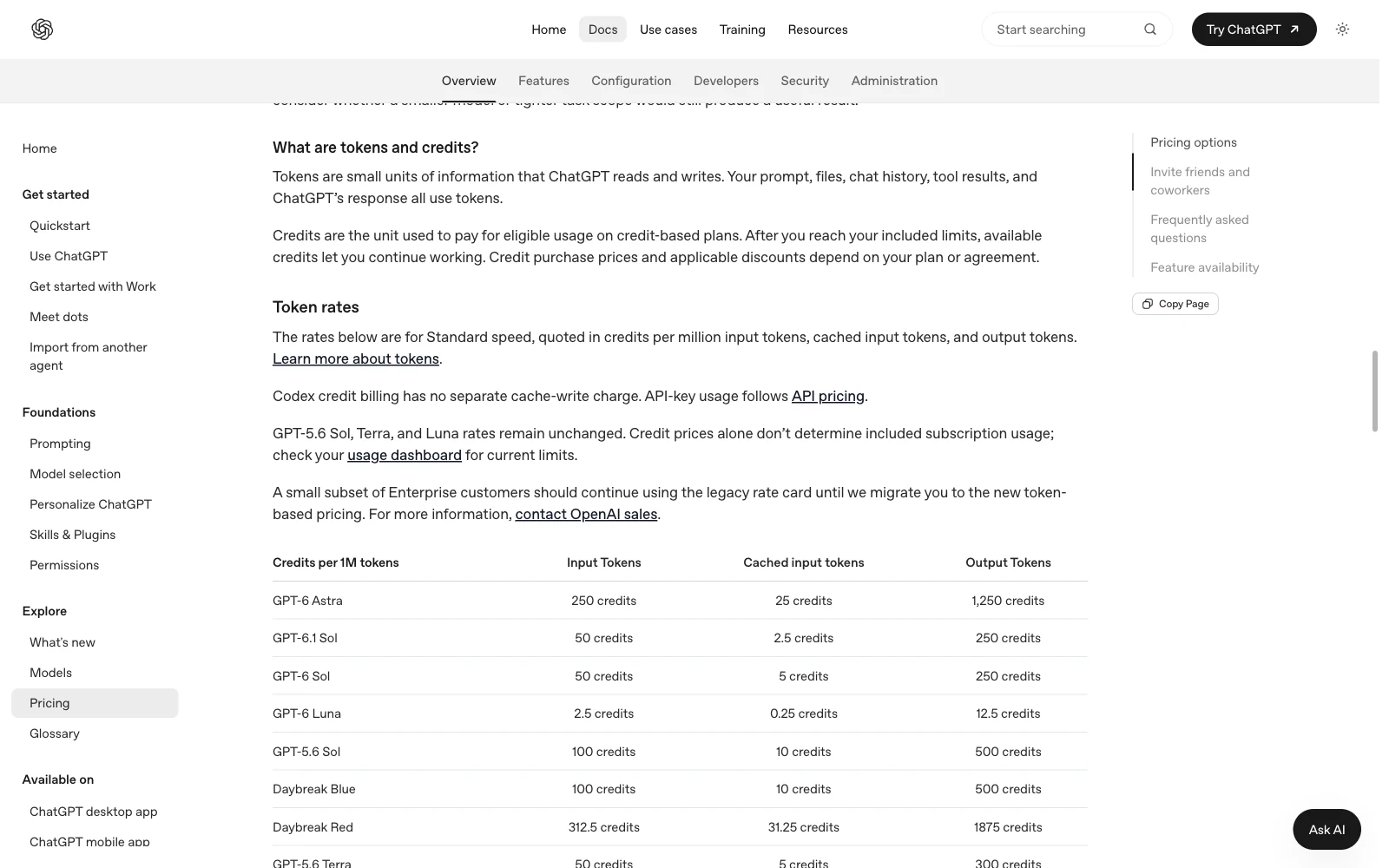
The rate table distinguishes different kinds of work. It does not give every prompt one fixed price.
Check these things before upgrading
- The account: confirm that you are buying for the account you use in Codex.
- The missing feature: check that the plan includes the app, model, or feature you need.
- Your actual usage: look at several normal working sessions. One unusually large task may give a misleading impression.
- The next bill: read the monthly price, any credit purchase, and the renewal terms separately.
If you are mainly wondering why work stopped today, start with Codex usage limits. That guide explains where to check the remaining allowance and reset time. For a broader overview of what you would be paying to use, see what Codex does.