Codex plugins package capabilities such as reusable skills and tool connections so they can be installed together. Choose a plugin for a specific job, inspect what it includes, connect any required accounts, and verify a small real task. An installation message is only the first check. This guide builds a harmless local plugin that formats a fictional parcel label, installs it from a local marketplace, and verifies the packaged skill in a fresh CLI session. It also covers disabling and removal. The example has no external account, carrier connection, or postage purchase, so its result is easy to inspect.
Choose a plugin for a specific job
Begin with the outcome you need: look up an internal document, prepare a report, or run a repeatable project check. Then inspect whether a plugin supplies the necessary workflow, tools, or both.
| Term | What it provides | What to verify |
|---|---|---|
| Skill | Instructions for a repeatable job | Trigger, steps, and actual output |
| MCP server | Callable tools | Connection, account access, returned data |
| Plugin | An installable package of capabilities | Included files, activation, dependencies |
| Editor extension | Codex inside an editor | Editor support, sign-in, project context |
On a phone, swipe sideways to read the last column.
A Codex extension in an editor is not the same thing as the plugin package described here. For the underlying pieces, see skills and MCP connections.
The public directory and a private local marketplace are different distribution routes. This guide tests a local package using Codex CLI 0.146.0 on macOS. It does not test directory submission, organization-wide distribution, or every ChatGPT surface. Check the official plugin guide for current availability.
Inspect the package before installing
Our example contains only these files:
plugin-marketplace/
  .agents/plugins/marketplace.json
  plugins/cedar-guide/
    plugin.json
    skills/cedar-label/SKILL.md
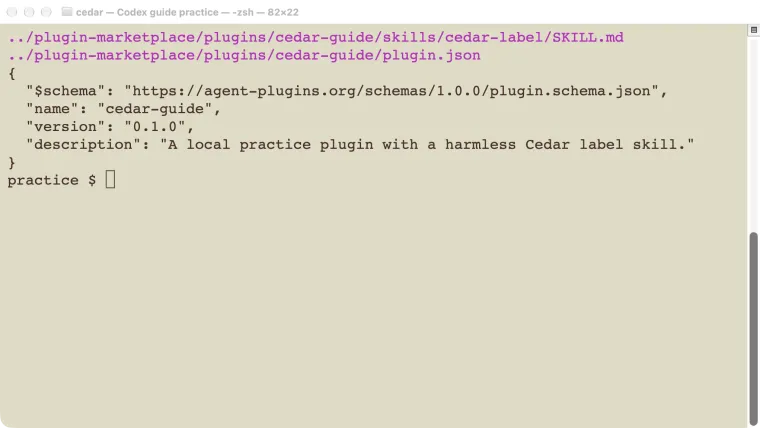
Save this portable manifest as plugins/cedar-guide/plugin.json:
{
  "$schema": "https://agent-plugins.org/schemas/1.0.0/plugin.schema.json",
  "name": "cedar-guide",
  "version": "0.1.0",
  "description": "A local practice plugin with a harmless Cedar label skill."
}
Save this as plugins/cedar-guide/skills/cedar-label/SKILL.md:
---
name: cedar-label
description: Format a Cedar practice parcel label from a fictional name and reference. Use only for this demonstration label task.
---

Return exactly three lines: `CEDAR PRACTICE`, `Recipient: <name>`,
and `Reference: <reference>`.
Use only details supplied by the user. If either value is missing,
ask for it.
Do not call tools, write files, contact a carrier, or purchase postage.
The skill’s output format lives in the installed file. Our test prompt supplies the name and reference but does not reveal that format, making the result a useful activation check.
For a package from someone else, inspect more than its description. Look for executable scripts, MCP endpoints, requested account access, hooks that run commands, and any setup steps. A plain skill package needs different checks from a package that can modify a ticket system or deploy code. The session’s permissions still matter.
The current packaging documentation describes a root plugin.json and optional skills/ and mcp.json. It also documents the older .codex-plugin/plugin.json compatibility layout. Follow the format your installed client supports; do not rename files while leaving their contents in an incompatible schema.
Install from a local marketplace
A marketplace file tells Codex where the package is. Save this as .agents/plugins/marketplace.json under the example’s plugin-marketplace folder:
{
  "name": "cedar-tutorial-20261025",
  "interface": {"displayName": "Cedar Tutorial"},
  "plugins": [
    {
      "name": "cedar-guide",
      "source": {
        "source": "local",
        "path": "./plugins/cedar-guide"
      },
      "policy": {
        "installation": "AVAILABLE",
        "authentication": "ON_INSTALL"
      },
      "category": "Productivity"
    }
  ]
}
The ./plugins/cedar-guide path is relative to the marketplace root. It is not relative to the nested .agents/plugins/ folder. The authentication policy is marketplace metadata; this particular skill-only plugin has no account connection to authenticate.
From the folder that contains plugin-marketplace, run:
codex plugin marketplace add ./plugin-marketplace --json
codex plugin add cedar-guide@cedar-tutorial-20261025 --json
codex plugin list --json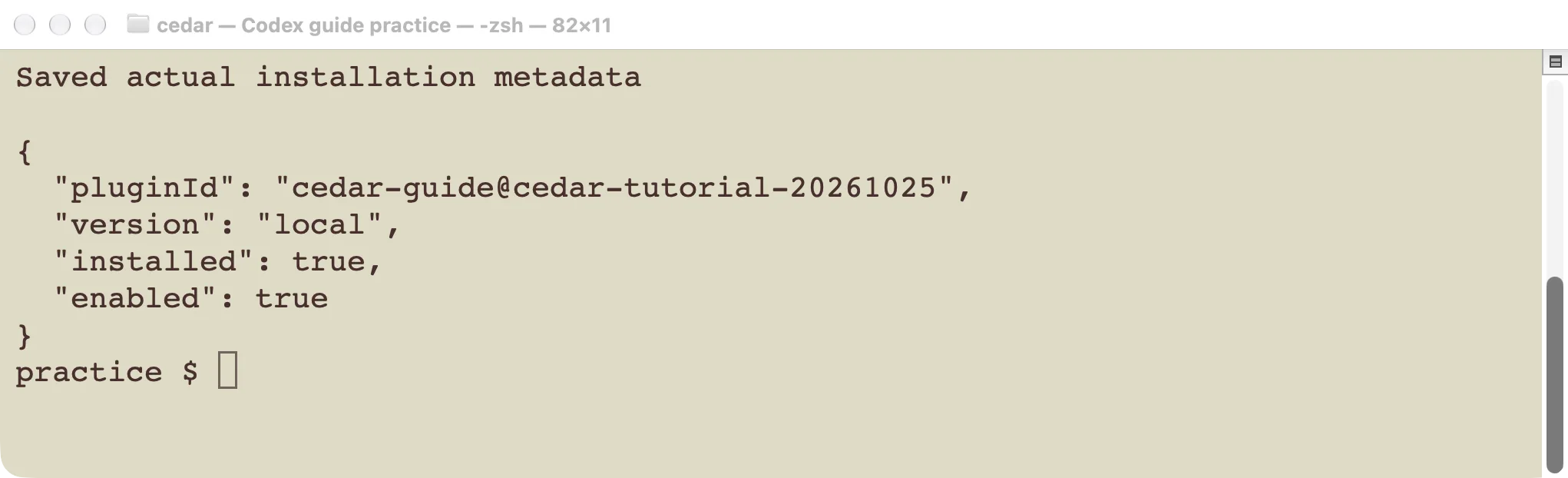
The installed package has a marketplace-qualified identity.
In our test, the add command returned the expected plugin ID and version local. The installed list showed installed: true and enabled: true. Codex put the local package into its plugin cache. That means editing the source folder alone is not proof an already installed copy changed.
If your CLI does not recognize these commands, check codex --version and codex plugin --help. Do not substitute an unrelated editor-extension installer. The installation guide covers updating the CLI itself.
Verify the installed skill
Start a fresh Codex session and enter:
Use $cedar-guide:cedar-label to format a practice parcel label
for Morgan, reference CEDAR-104. Follow the skill output format.
Do not write files or contact any service. Respond in English.
Our actual result was:
CEDAR PRACTICE
Recipient: Morgan
Reference: CEDAR-104
The response matched all three required lines without a carrier call or file change.
This test checks that the package’s skill is available and its instructions affect the output. It does not test any MCP server because the package contains none. When your plugin includes tools, add a separate test that confirms an actual tool invocation and checks returned data, as in the MCP guide.
We also found a useful failure case: launching a test session with user configuration ignored made the installed plugin unavailable. Repeating the request in a normal configuration-loading session succeeded. That is a configuration-scope problem, not evidence that the plugin needs more powerful model settings.
Disable or remove the plugin
Disabling keeps a package installed but turns off its use for the relevant configuration scope. Current Codex configuration supports an entry such as:
[plugins."cedar-guide@cedar-tutorial-20261025"]
enabled = false
Place a setting deliberately in the intended configuration file, then start a fresh session. A project configuration and a user configuration can produce different results; see the configuration guide. Check the actual session rather than treating one inventory view as proof of effective settings. In our CLI 0.146.0 test, saving enabled = false in the user configuration made the skill unavailable in a fresh session. Passing the same setting only as a -c command override did not prevent invocation. Use the saved setting and verify a new session on your version.
To remove this test installation and its marketplace source:
codex plugin remove cedar-guide@cedar-tutorial-20261025 --json
codex plugin marketplace remove cedar-tutorial-20261025 --json
codex plugin list --json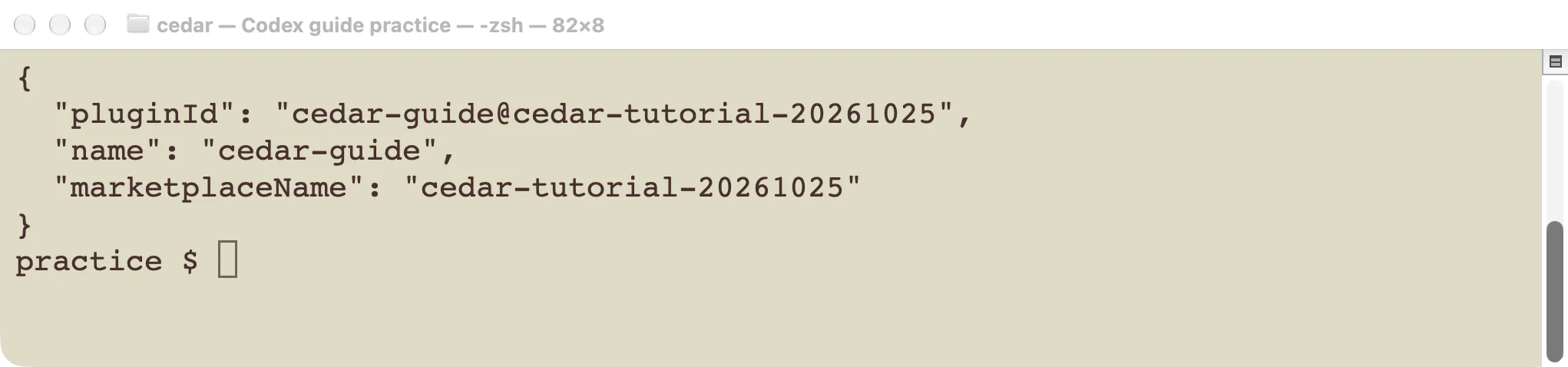
Removal targets this package identity, not every installed plugin.
We ran removal for the test plugin and its temporary marketplace, then checked that the test cache was gone and the pre-existing user configuration remained semantically unchanged. The editable practice package remained in its own example folder.
For a real connected service, uninstalling a plugin is not automatically the same as revoking its account grant. Check the service’s connection controls if that is your intended outcome.
Package changes and diagnose problems
If the marketplace appears but the plugin does not, inspect the marketplace JSON, plugin name, and source path. Confirm that the path reaches the plugin root containing the manifest.
If installation succeeds but the skill is missing, start a new session, confirm the plugin is enabled in that session’s configuration, and inspect the installed copy’s skills/ folder. In our test, ignoring user configuration was enough to produce this symptom.
If a skill works but a bundled tool does not, troubleshoot the tool separately: executable or endpoint, credentials, account access, and a minimal real call. A working text-only skill cannot verify a disconnected tool.
For a source change, refresh the local installation through the supported client workflow and repeat the same small acceptance test. Do not assume the source tree and cache are identical. Keep the version and description meaningful when sharing a package, and check the separate submission requirements before publishing to a directory.
Next step: install the three-file practice package, confirm the exact label output, and remove it again. Once that complete cycle works, package one useful existing skill before adding external tools.