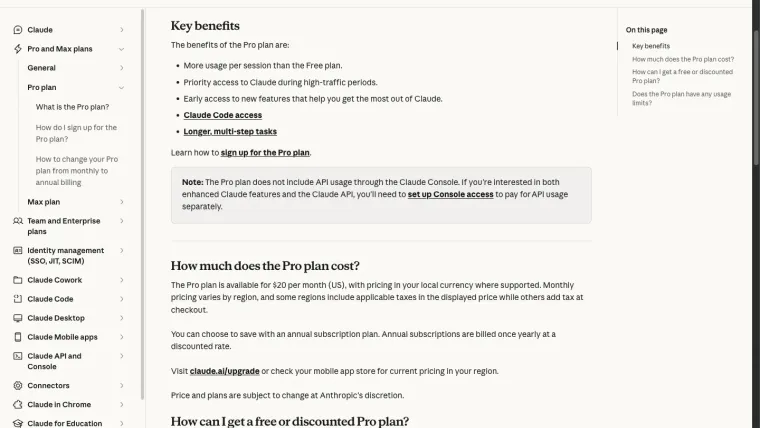
For Codex vs Claude Code, compare the workflow you need before choosing a winner. Both products can help with repository work, but the selected model, account route, tool permissions, project instructions, and verification all affect the outcome. We completed several Codex practice tasks in this series. Our official Claude Code access check failed authentication, so we did not obtain a matched coding run. This guide compares documented capabilities and gives a fair test procedure. It does not claim that one product is faster, cheaper per completed task, or better at coding based on an invalid comparison.
Compare the same kind of task
Claude Code’s overview describes reading a codebase, editing files, running commands, and integrations. Codex also supports repository-agent workflows through its CLI, desktop, and editor routes. A comparison should identify the specific client on each side rather than mixing a terminal agent with a general chat answer.
| Decision | What to record for both tools |
|---|---|
| Working environment | Client version, project path, and starting commit |
| Model | Exact selected model and supported reasoning settings |
| Account access | Subscription or API route and actual entitlement |
| Context | Files, instructions, and attachments supplied |
| Permissions | File changes, commands, network, and approvals |
| Success | Independent tests, reviewed diff, and remaining failures |
If any row differs materially, retain that limitation when interpreting the outcome. Comparing two brand names does not isolate model quality.
Understand access and billing first
Codex account routes and allowances are explained in the pricing guide. Anthropic’s Pro documentation lists Claude Code access and separates Console API usage from the subscription. Check the entitlement and billing route actually used by your installation.
Our installed Claude Code CLI reported version 2.1.220. A narrowly scoped request to the official Anthropic endpoint returned an invalid OAuth authentication error. No successful model turn followed, and no coding-quality result can be inferred from it. A stored sign-in indication alone did not establish usable access.
If your own test fails login, repair that stage before timing or scoring a coding task. Preserve the redacted error, avoid exposing credentials, and use the vendor’s official authentication flow.
Keep project instructions equivalent
Give both tools the same README requirements and acceptance test. Use each tool’s documented instruction mechanism instead of assuming it discovers every filename used by the other product.
Codex uses AGENTS.md for project instructions. Check Claude Code’s documentation for its current configuration and memory guidance. Keep task-specific requests short and concrete regardless of the mechanism.
Do not include previous solutions in only one copy. If one tool receives a failing test and the other receives a full bug explanation, you are comparing different amounts of help.
Use separate practice copies
Start from one known revision and create two clean copies. Use a non-sensitive project without deployment, payment, external messaging, or production credentials. The first-task exercise supplies a small boundary bug suitable for learning this process.
Ask each tool to inspect the same files, make the smallest correction, preserve the tests, and run the same command. Record every changed file. Do not let the second run inherit the first run’s repair.
Scope and permissions should be comparable. A tool with unrestricted network and file access is not operating under the same conditions as one that must stay inside a practice folder. Inspect approvals and command results rather than relying only on prompt wording.
Judge the completed change
Run the test independently and inspect the diff. Check the exact boundary case, neighboring cases, and unrelated changes. For a web task, interact with the feature at its intended size. Our website exercise demonstrates why a syntax pass and a finished-looking page can still miss a real input defect.
Measure correction work as well as first response time. Record setup time, model run time, review time, and retries separately. A quicker initial answer can require more work before acceptance.
For cost, compare the actual billing route and total task usage. A subscription allowance, client estimate, and API invoice are different measurements. This article has no matched Claude run and therefore offers no cost-per-correct-task ranking.
Choose using your own constraints
If you already have a working account and project workflow in one tool, test whether the other solves a specific unmet need before migrating. Useful reasons include an integration, a clearer review process, or an allowance that better fits your workload.
If the need is strictly free access, check alternatives and free-tier boundaries. If the uncertainty is the interface rather than the vendor, compare app and CLI workflows.
The evidence supports a practical evaluation method and documented workflow comparison. A side-by-side coding verdict remains unavailable until both tools complete the same controlled task with usable authentication.