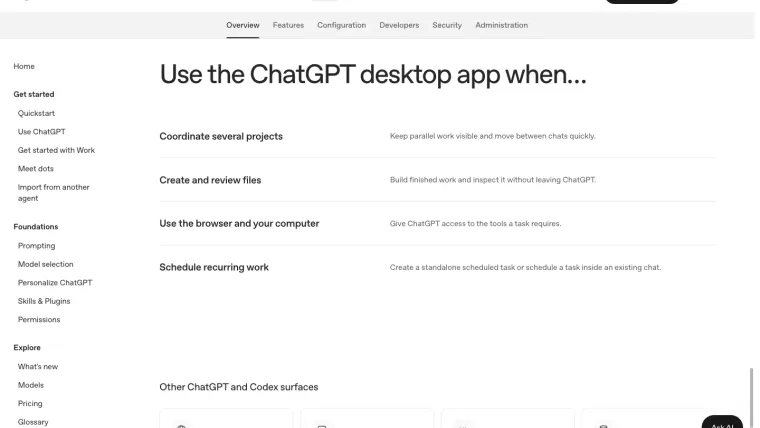
The useful Codex app vs CLI question is where you want to control and inspect the work. Choose the desktop app when visible project organization and file previews help you stay oriented. Choose the CLI when your task starts in a terminal, needs explicit command arguments, or must fit into a script. Both still need the right project, account, permissions, and a result you can verify. This comparison combines current official app documentation with our actual CLI exercises. It is not a head-to-head speed or model-quality benchmark, and an interface choice alone does not establish which model will perform better.
Choose by the job you need to finish
“Codex app” is a common search term for the desktop workflow. OpenAI’s current desktop documentation describes the ChatGPT desktop app with a Codex area. Names and menus can differ from an older installed build. Check what you have before following a screenshot from another release.
| Your situation | Start with | What to check |
|---|---|---|
| You want projects, chats, and generated files in one visible workspace | Desktop app | The selected project and where its files live |
| You already work in a terminal inside the repository | CLI | The current directory and command help |
| A shell script must save an answer and detect failure | CLI with codex exec | Output format, process status, and independent checks |
| You want to inspect a document or image while discussing it | Desktop app | The actual saved output, not only the chat summary |
| You want a local code review before a commit | Either workflow | The precise diff or revision being reviewed |
| Several tasks need separate working copies | Either workflow with a deliberate isolation plan | Checkout paths, branch ownership, and integration |
If you are new to both, begin with one small exercise. The desktop guide explains that entry point; the CLI guide supplies a terminal practice project. Switching interfaces halfway through an unfamiliar task can make it harder to tell whether a problem came from the task, the account, or the working directory.
Use the app when seeing the work helps
The documented desktop workflow groups projects and chats and lets you inspect files in the workspace. It also provides routes to browser and computer tools when the installation has the required access. Those are useful interface features, but opening an app does not automatically authorize every connected account or website.
For example, suppose you ask for a revised article with two illustrations. The useful completion check is to open the saved article and images, read them at their intended size, and point to the actual paragraph or visual that needs revision. A chat message saying “the files are ready” is weaker evidence than inspecting those files.
For coding, use the same principle. Identify the working copy, ask for a bounded change, inspect its diff, and run the relevant check. A convenient preview does not replace a test of the behavior you changed. Our website exercise demonstrates this: the first page looked usable, but a whitespace-only name exposed a form defect.
Keep run location separate from the visual interface. A local folder, a separate worktree, and a hosted environment are different places. Before asking for an edit, confirm which one the task uses. The app’s project selection should help you answer that question; it should not become a reason to skip it.
Use the CLI when a command is the natural entry point
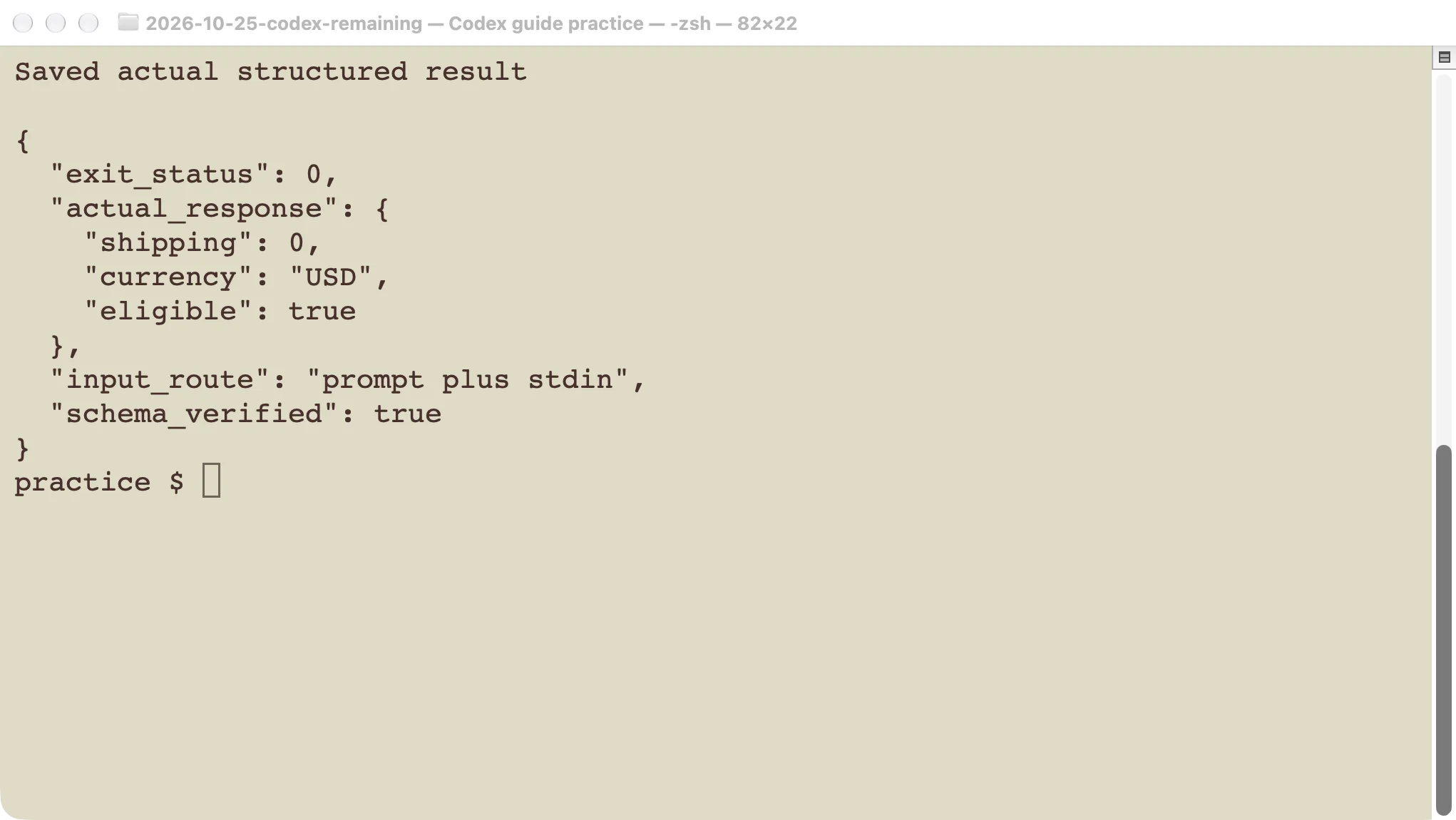
The CLI fits a workflow where you already know the repository path and use terminal commands to inspect changes or run tests. Start it in the intended folder. For a repeatable operation, keep the working directory and relevant arguments explicit rather than relying on whichever terminal tab happens to be active.
In this series, our CLI exercises used version 0.146.0. We checked command help locally and tested successful and failing paths. Your installed release may differ. The command reference guide explains the distinction between shell commands and slash commands entered inside an interactive session.
Interactive CLI use remains a conversation. codex exec is the separate non-interactive route for a script. It can save a final answer and emit events that a program can inspect. Neither a normal-looking final sentence nor the existence of an output file proves that the requested job was correct.
Compare scheduling with running a script
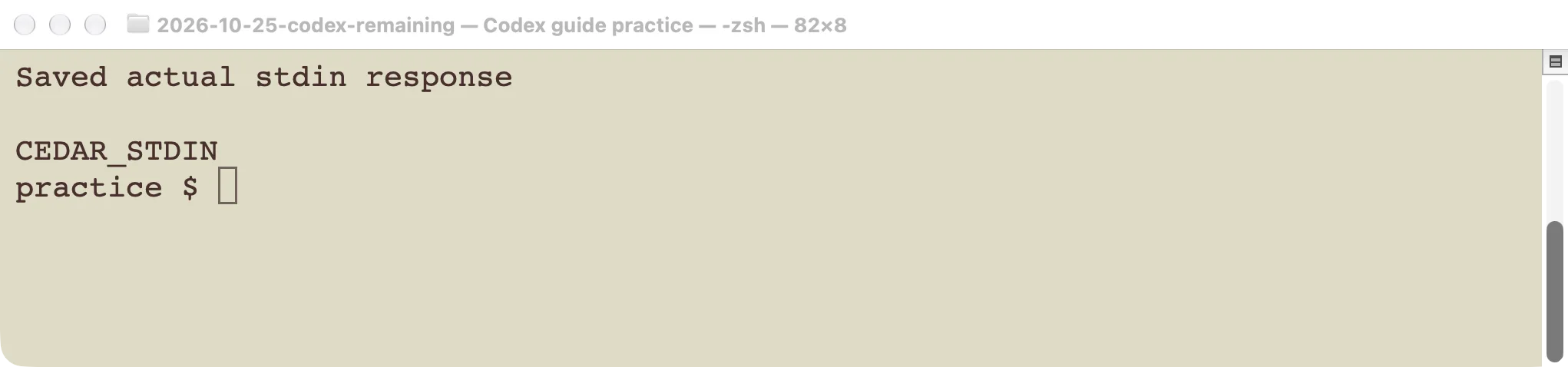
Our tested codex exec example accepted a prompt plus standard input and returned a structured shipping decision. The process exited with status 0, and the saved answer matched the expected schema. A separate missing-schema-file case failed. These checks are useful when another program must distinguish a usable result from a failed run.
See the full exec exercise for the exact setup and failure handling. If your program needs to manage conversations through a language library, compare the SDK examples instead of constructing a complex shell wrapper by habit.
Scheduling is a different concern: it decides when to start work. OpenAI’s scheduled-task documentation places task creation and management in the web or desktop interface, not the CLI’s own Scheduled management screen. Local scheduled work needs the computer and app available. A command that runs once does not become recurring merely because its prompt says “every morning.”
Choose the interface for the operation you need. A visible scheduled-task manager can be convenient for recurring work. A script may be appropriate for an existing build pipeline. In both cases, define where the result appears and what should happen after an error. This comparison did not create or test a recurring schedule.
Review the same change, whichever interface you use
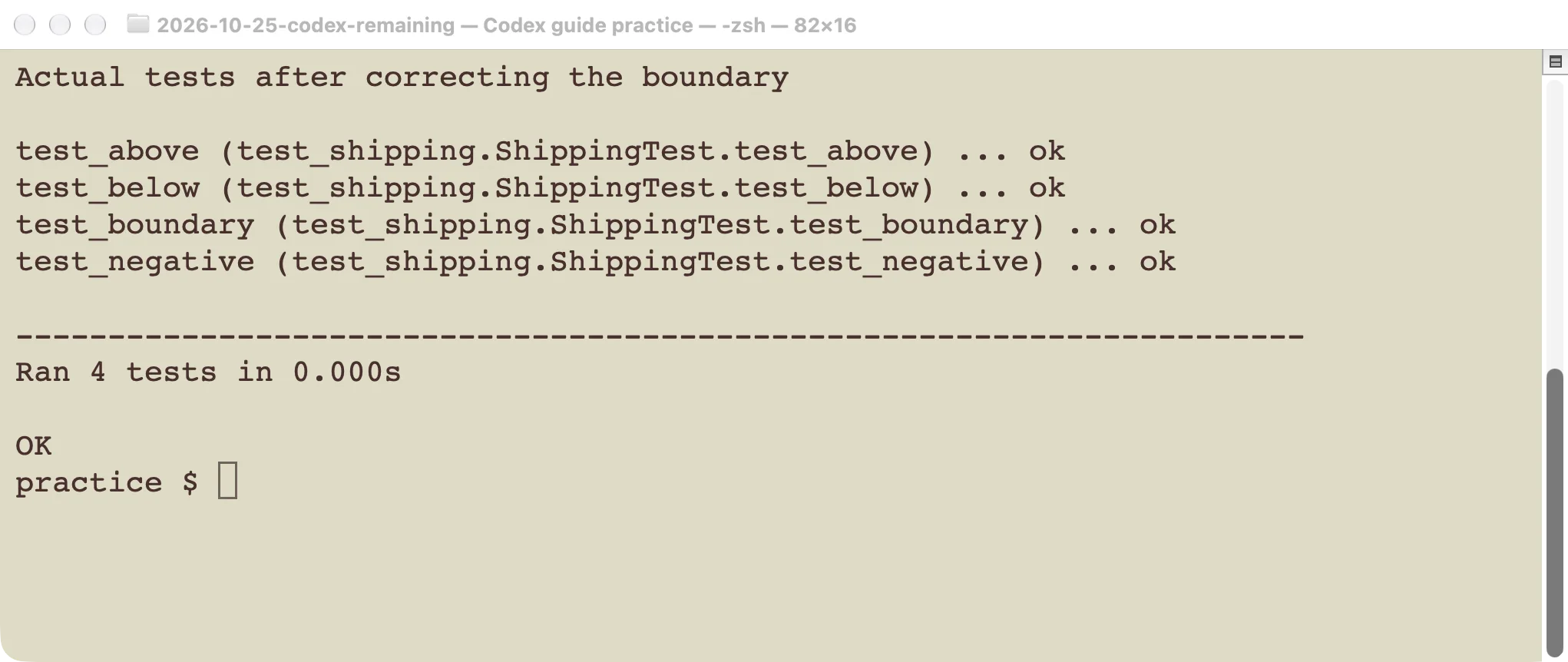
In our local review exercise, the task examined a defined change containing a shipping-threshold error. The review identified the boundary case and did not change the target file. We then made a separate correction and ran the tests. The useful evidence was the reproducible finding and passing test, not the interface in which the finding appeared.
For your own review, give either workflow a concrete scope: uncommitted changes, a commit, or a branch comparison. Check the referenced line and the behavior that makes it a problem. If the report is wrong, explain the missing context. If it is right, make the correction and repeat the relevant check. Follow the code review guide for the full example.
Changing from the app to the CLI does not undo existing edits. Starting a new chat does not create a clean checkout either. Inspect the current files before continuing a task through a different entry point.
Separate parallel chats from separate files
Multiple visible tasks can still work on the same directory. A separate conversation is not a guarantee of file isolation. Decide which files each task owns and where the combined result will be tested before starting concurrent edits.
Our worktree exercise tested separate Git working copies, branch restrictions, a refused dirty removal, and integration checks. That mechanism concerns files and Git history. It is distinct from how an app displays chats or how a CLI lists sessions.
For a small change, one task and one checkout are usually simpler to review. When independent work justifies separate copies, record their paths and keep setup dependencies in mind. A test passing in one checkout does not establish that the code you are about to publish came from that checkout.
Try one controlled task before switching your workflow
Use the same practice repository and acceptance criteria if you want to compare interfaces for yourself. Record the selected model, account route, permissions, and starting commit. Ask for one small change, inspect the result, and run the same test.
Compare what affects your work: how easily you supplied the right context, found the changed file, understood an approval, and recovered from an error. Do not interpret one elapsed time as a stable model benchmark, especially if the runs used different models or cached context.
The app is a useful place to see and organize work. The CLI is a useful way to start and control work through commands. Choose the entry point that makes your next result easiest to inspect, then keep the project and verification steps explicit.